
Record and review Cashbook money
Use Cashbook (روزنامچه) to follow money coming in and going out.
Review your money
- Open Cashbook and choose the date, currency and payment-mode filters you need.
- Review money-in, money-out and balance figures for the same period. Saved sale, purchase, person-payment and expense payments already appear here.
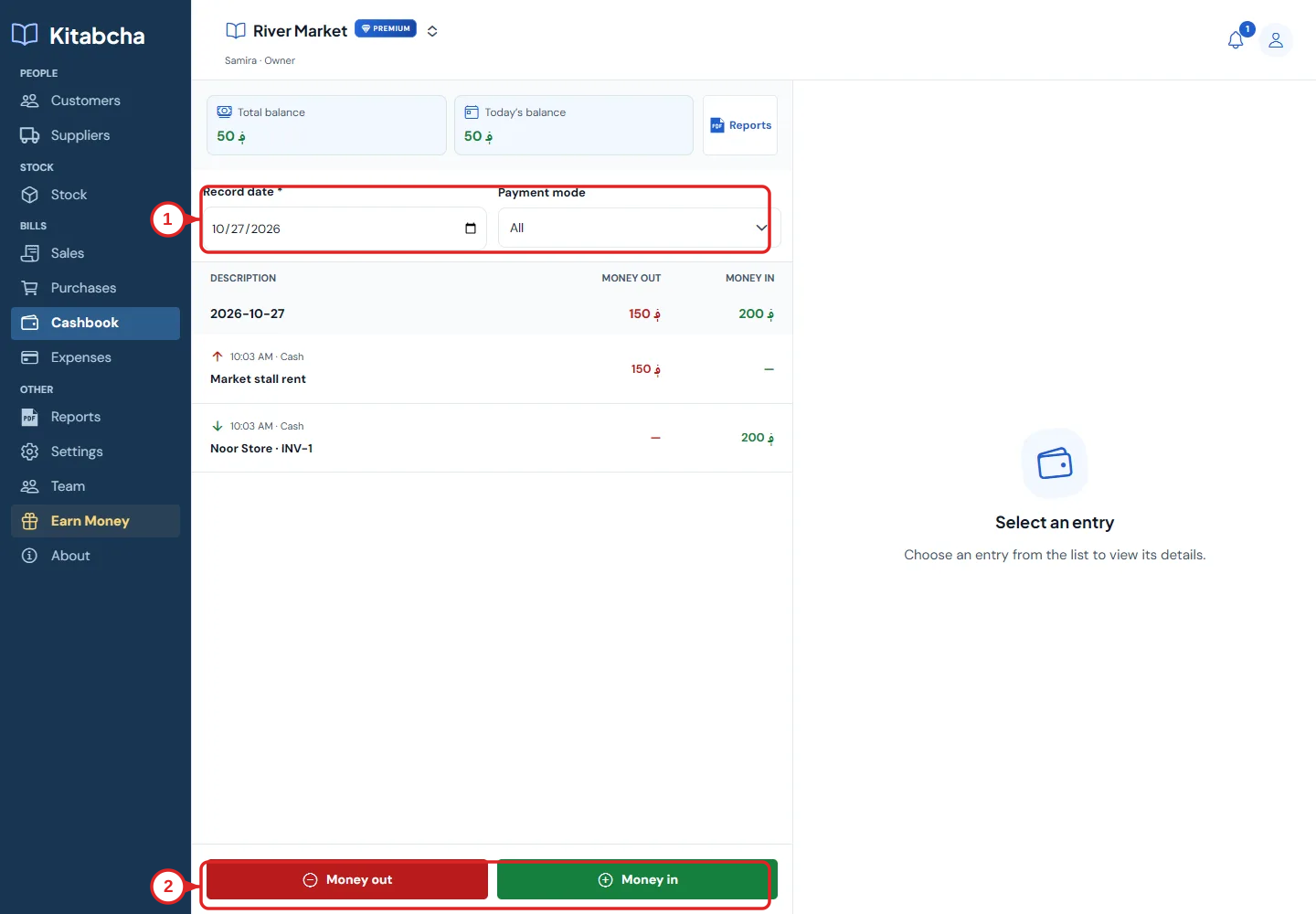
- Open cashbook
Add a direct entry
- Choose Money in for money received, or Money out for money paid that has not been recorded elsewhere.
- Enter the amount, currency, description, payment mode and record date. Attach a receipt if needed, then save.
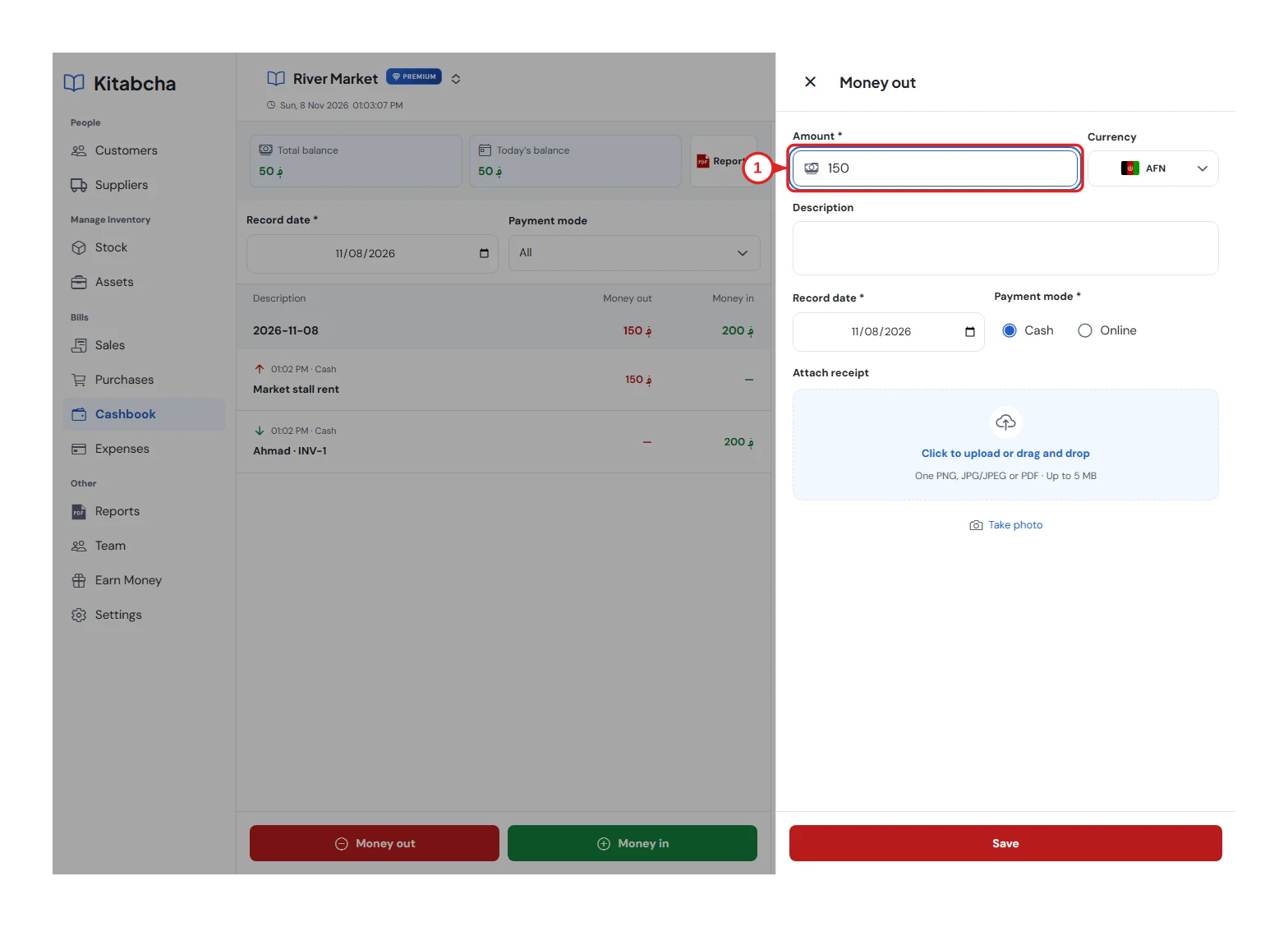
- Amount and currency
Use the appropriate record
- Record customer and supplier payments in their accounts, and rent or other costs in Expenses, to keep their details together.
- Use a direct Cashbook entry for other cash movements, such as owner money added or withdrawn. A cash balance is different from profit.
Need a hand?
Tell us which step you reached, your device and what happened. Never share sign-in codes or private records in public messages.
WhatsApp supportEmail support