
People & money · Kitabcha help
Track expenses and understand the cashbook
Record business spending, choose cash or online payment, review money in and out, and avoid duplicate entries.
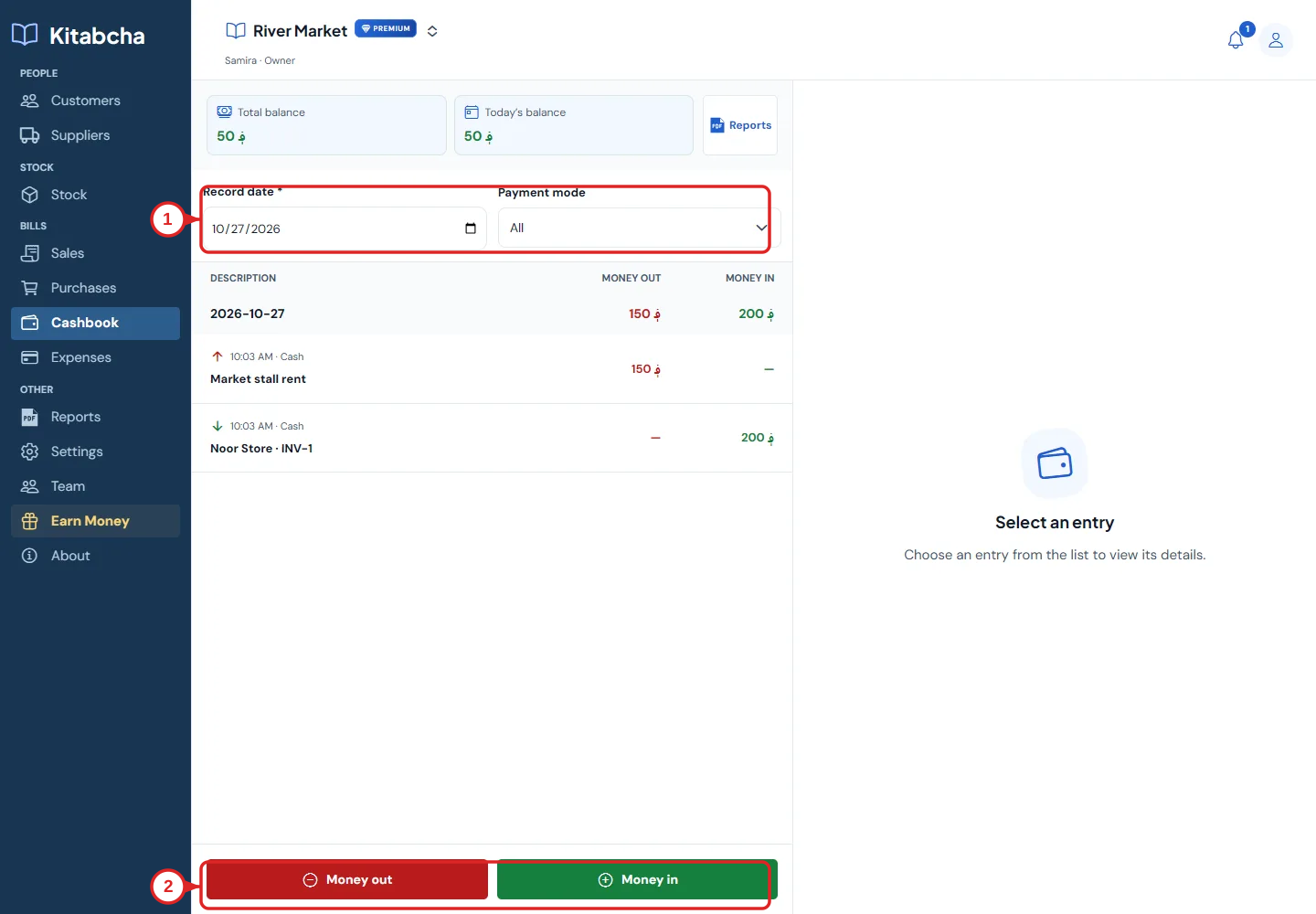
- Filter cash movements
- Money out and money in
Record an expense
- Open Expenses and select Add expense. Enter the amount, currency, category and date.
- Choose the payment mode and add a useful description or receipt when available. Check the details before saving.
- Use Purchases for stock bought for resale. Use Expenses for operating costs such as rent; recording the same spending in both places counts it twice.
- Open an expense to view it. Cancel is available beside Edit when the record can be cancelled.
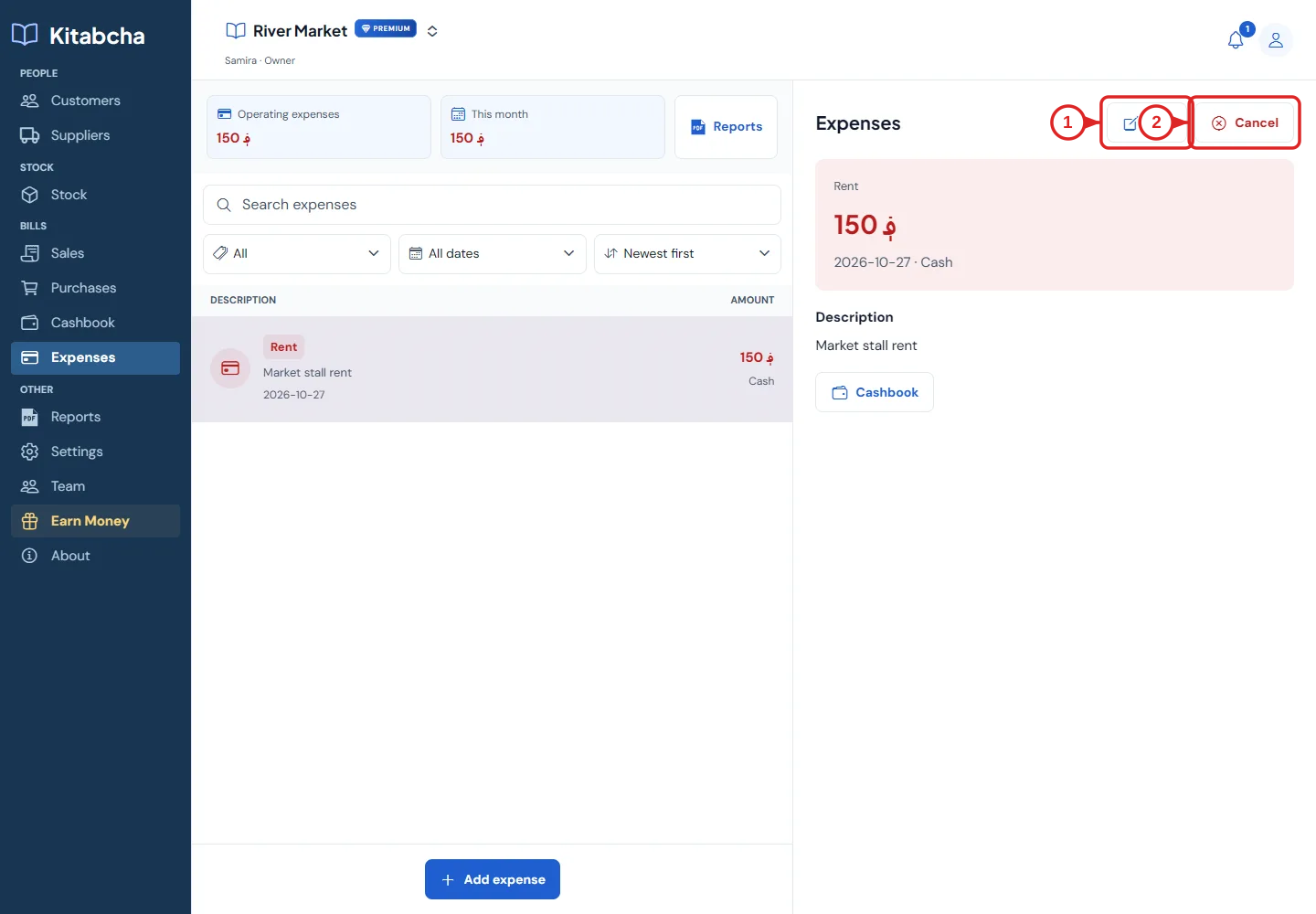
- Edit the record
- Cancel the record
Review cash movements
- Open Cashbook to see money in and money out. Filter by record date and payment mode, and select a row for details.
- Money received from a customer and money paid to a supplier are cash movements. An unpaid credit sale or purchase is not a cash payment.
- Use Money in or Money out for a standalone cashbook entry. Do not enter a second movement when a saved bill payment or expense already represents it.
- Compare cash and online records with the money you actually hold. Review the currency and period before deciding a total is incorrect.
Cash is not profit
- A customer can pay an old debt this month without creating a new sale this month. A credit sale can earn revenue before its payment arrives.
- Use the profit report for profit and the cashbook for cash movement. The two totals answer different questions.
Need a hand?
Tell us which step you reached and what happened. Keep sign-in codes and private business data out of public messages.
WhatsApp supportEmail support