
Reports & sharing · Kitabcha help
Download reports, PDF statements and Excel exports
Choose business or individual reports, date ranges and currencies, then export readable PDF or Excel files.
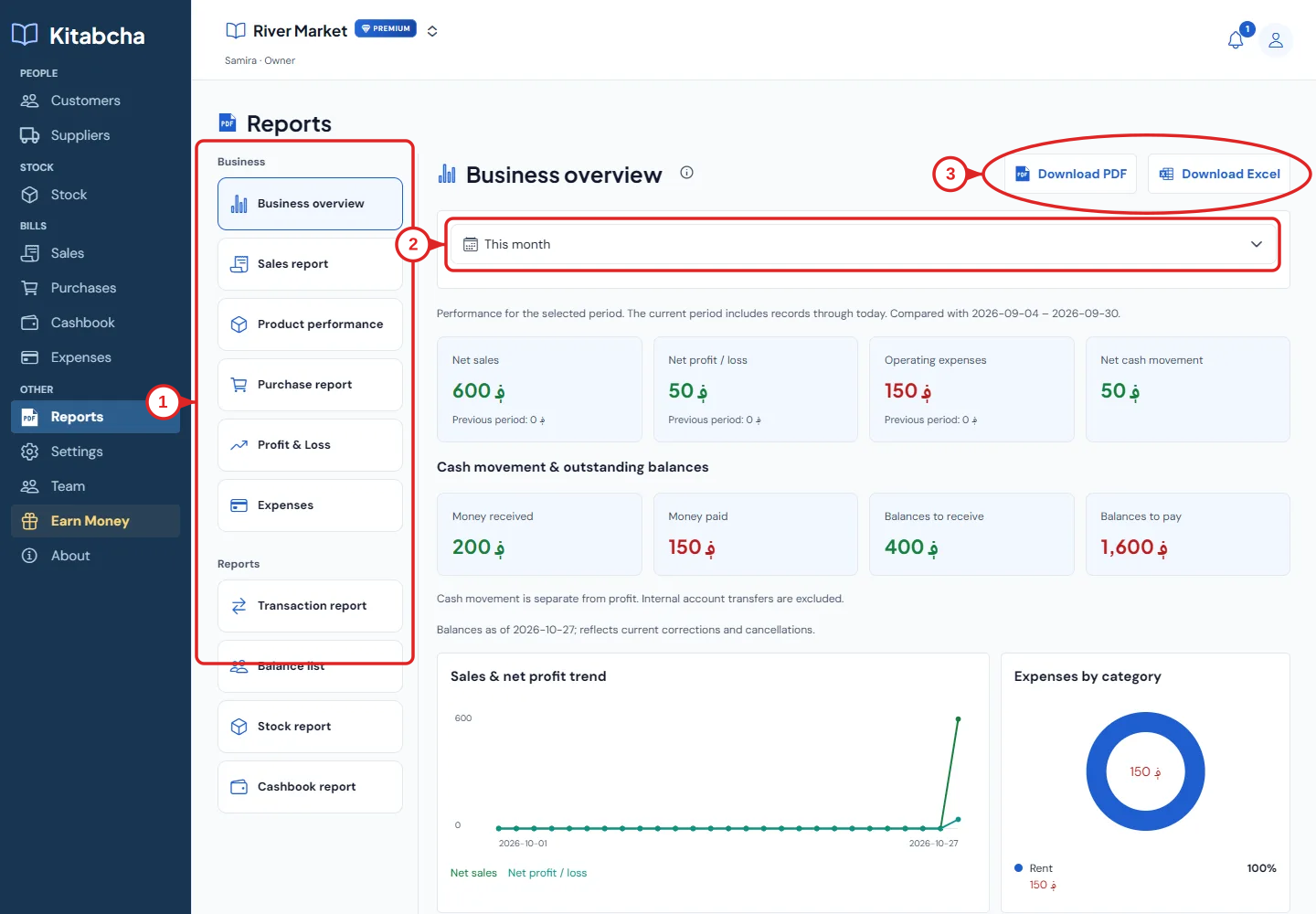
- Choose a report
- Period filter
- Export PDF or Excel
Choose the right report
- Open Reports for business-wide reporting. Choose Business overview, Sales report, Product performance, Purchase report, Profit & Loss, Expenses or an available ledger report.
- Use the date filter and currency selection before interpreting the figures. Different currencies are separate balances, not an exchange-rate conversion.
- Review net sales, gross profit, operating expenses and net profit in their context. Gross profit and net profit are different measures.
- Select Download PDF or Download Excel where shown. Open the exported file and check its period, currency and totals before sending it.
Download one person’s statement
- Open the customer or supplier and select Download Report under Records.
- The individual report includes business and person details, an account summary and transaction history. Green and crimson amounts help distinguish the direction, alongside the labels.
- Check opening and closing balances as well as payments. A date-limited statement can include an opening balance from earlier transactions.
Language, printing and sharing
- Choose your app language before generating a new report. An already downloaded PDF does not change when you change the app language.
- Use the downloaded PDF for printing or sharing. On iPhone, use the system preview or Share action; on Android or web, open the saved file from Downloads.
- If text or currency symbols look wrong, generate a fresh report on the latest version and send support the report type, language and device details. Share only the minimum necessary data.
Need a hand?
Tell us which step you reached and what happened. Keep sign-in codes and private business data out of public messages.
WhatsApp supportEmail support