
Start here · Kitabcha help
Use English, Dari, Pashto and multiple currencies
Change Kitabcha language, understand right-to-left layouts, set a default currency and keep currency balances separate.
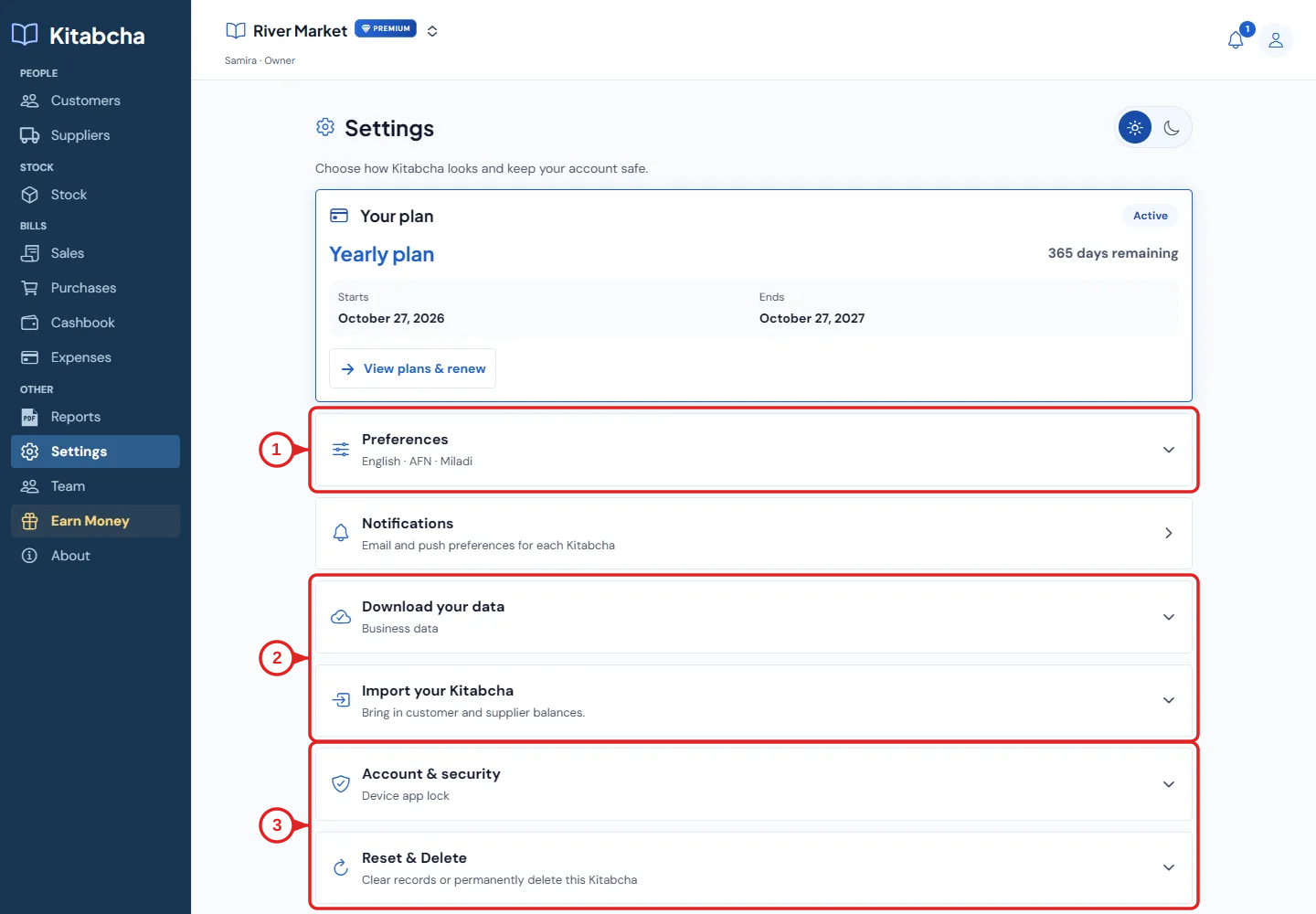
- Language and currency preferences
- Download and import
- Security and destructive actions
Change the language
- Before sign-in, use the English, دری and پښتو language choices. After sign-in, open Settings and expand Preferences.
- Select your preferred language. Dari and Pashto use a right-to-left layout; the meaning of money received and money given remains the same.
- Generate a new PDF or reminder after changing language to use the current language. Existing downloaded or sent documents remain unchanged.
Default currency and multi-currency
- Choose the default currency during onboarding or in the relevant business preferences. It is the starting choice for new records.
- Select the actual transaction currency when recording a sale, purchase, payment or credit. Changing the default does not convert old transactions.
- Use the currency selector in People to view a specific currency or all currencies. The selection is remembered until you change it.
- Read AFN, USD and other balances separately. “All currencies” displays multiple balances; it does not add them at an assumed exchange rate.
- When applying a payment to bills, select compatible bills in the same currency. Check the currency again before saving.
Need a hand?
Tell us which step you reached and what happened. Keep sign-in codes and private business data out of public messages.
WhatsApp supportEmail support