
Start here · Kitabcha help
Create your account and set up your Kitabcha
Sign in with email or WhatsApp, verify your code, and set up a business, language and default currency.
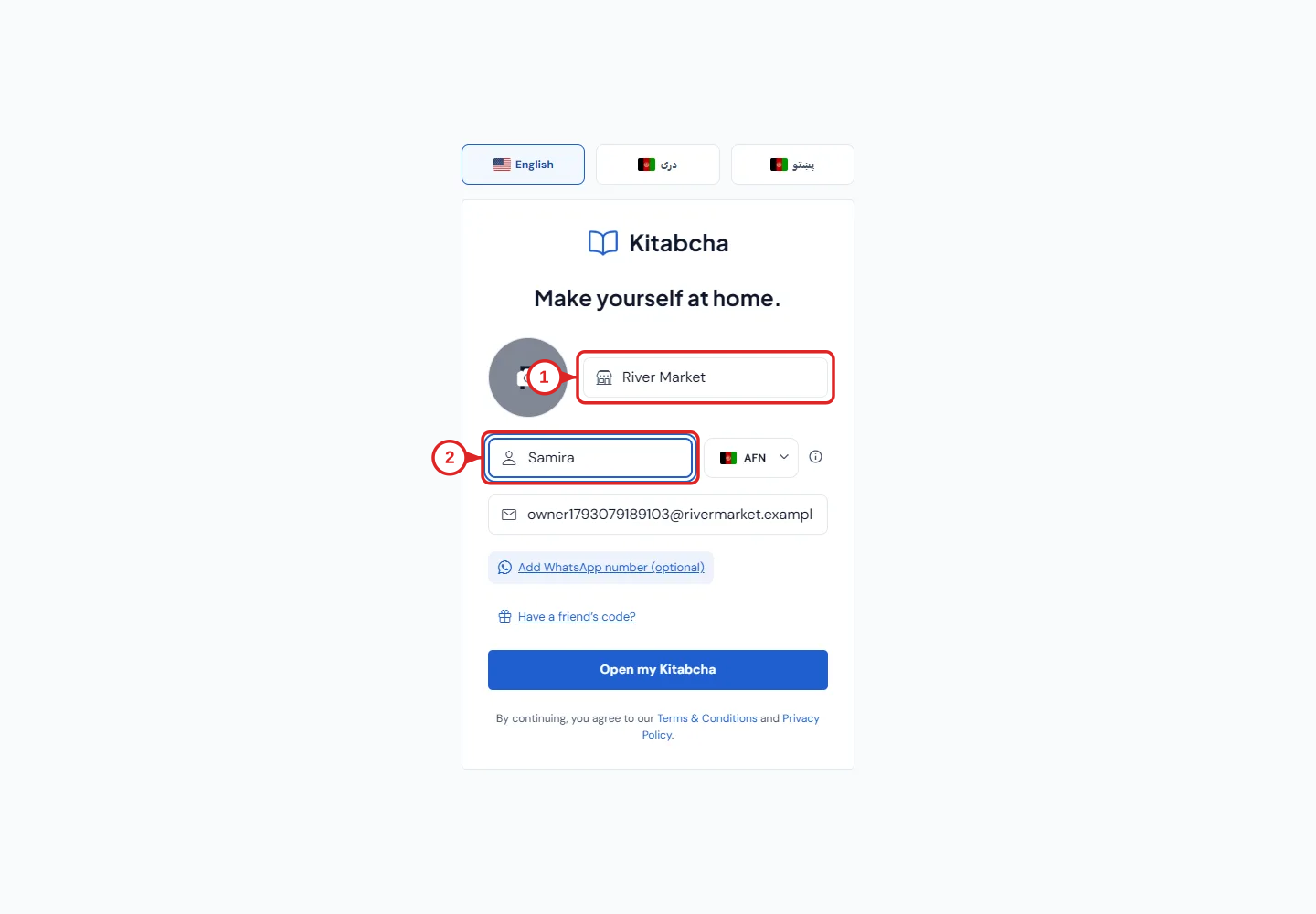
- Your business
- Your name
Sign in or create an account
- Open app.kitabcha.app or the Kitabcha app. Choose English, دری or پښتو before signing in.
- Enter your email address or WhatsApp number, including the country code for a number. Request a verification code.
- Enter the latest verification code sent to you. The same sign-in flow creates a new account or opens your existing account. Never share a sign-in code.
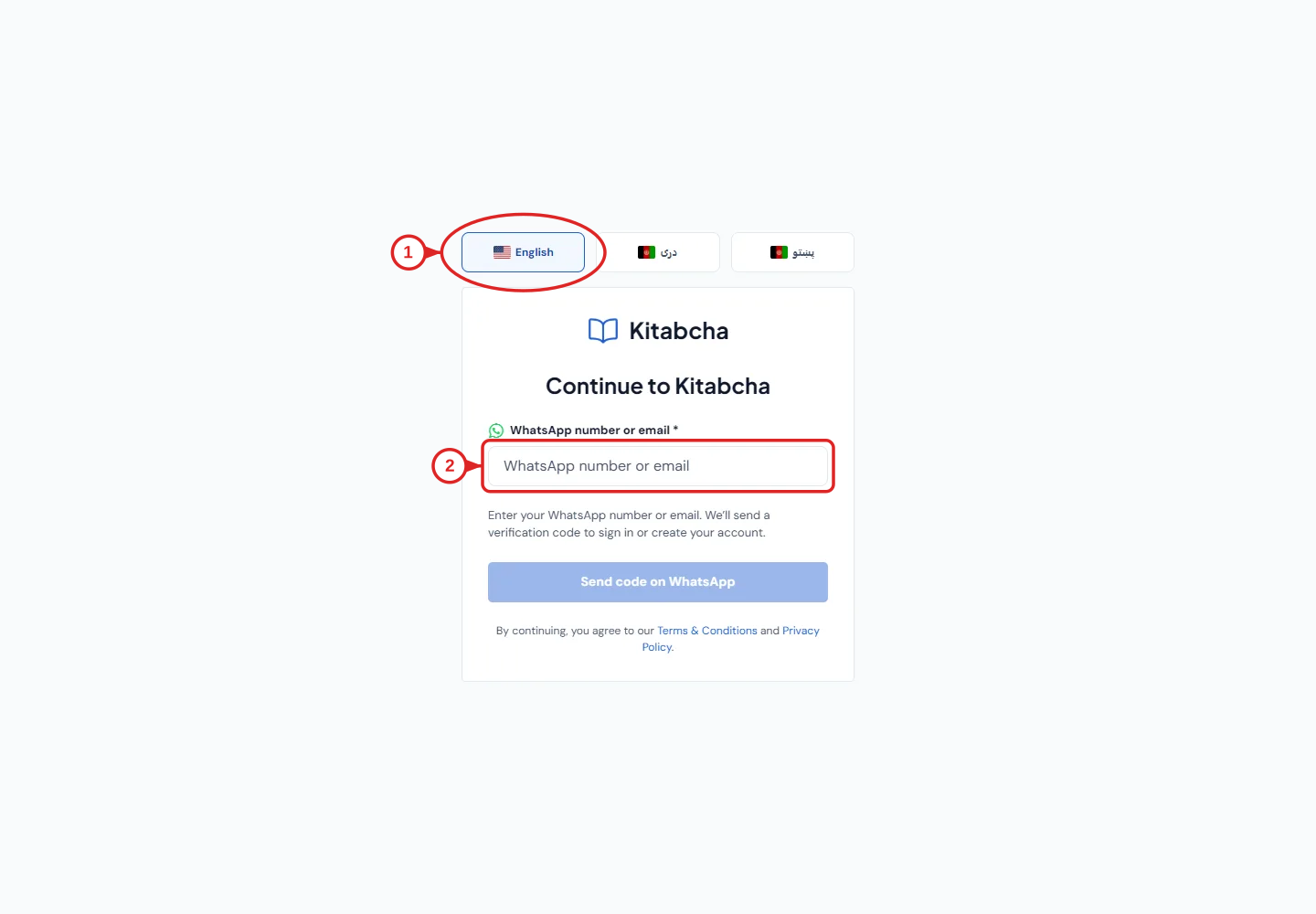
- Choose your language
- Enter email or WhatsApp
Set up your business
- Enter the business name you want on invoices and reports. Add a business photo or logo if you have one.
- Enter your own name, then select the default currency. This is the starting currency for your business; Kitabcha also supports multi-currency records.
- Your verified email or WhatsApp number appears in the form. You may expand the optional second sign-in method and verify it, or leave it for later in Profile.
- If a friend invited you, expand “Have a friend’s code?” and enter their referral code. This is optional.
- Select “Open my Kitabcha”. Start by adding customers, suppliers or products. You can add your business address later in Profile.
Before entering real balances
- Choose a date to start using Kitabcha. Enter existing amounts owed as opening balances rather than recording old debts again as new sales.
- Keep customer debts and supplier debts separate. A sale on credit and its later payment are two different events.
- Try a small example first and check the person’s balance before entering the rest of your records.
Need a hand?
Tell us which step you reached and what happened. Keep sign-in codes and private business data out of public messages.
WhatsApp supportEmail support