
Reports & sharing · Kitabcha help
Send a payment reminder by WhatsApp, message or copy
Preview a translated reminder, check the amount and currency, then share it with the customer or supplier.
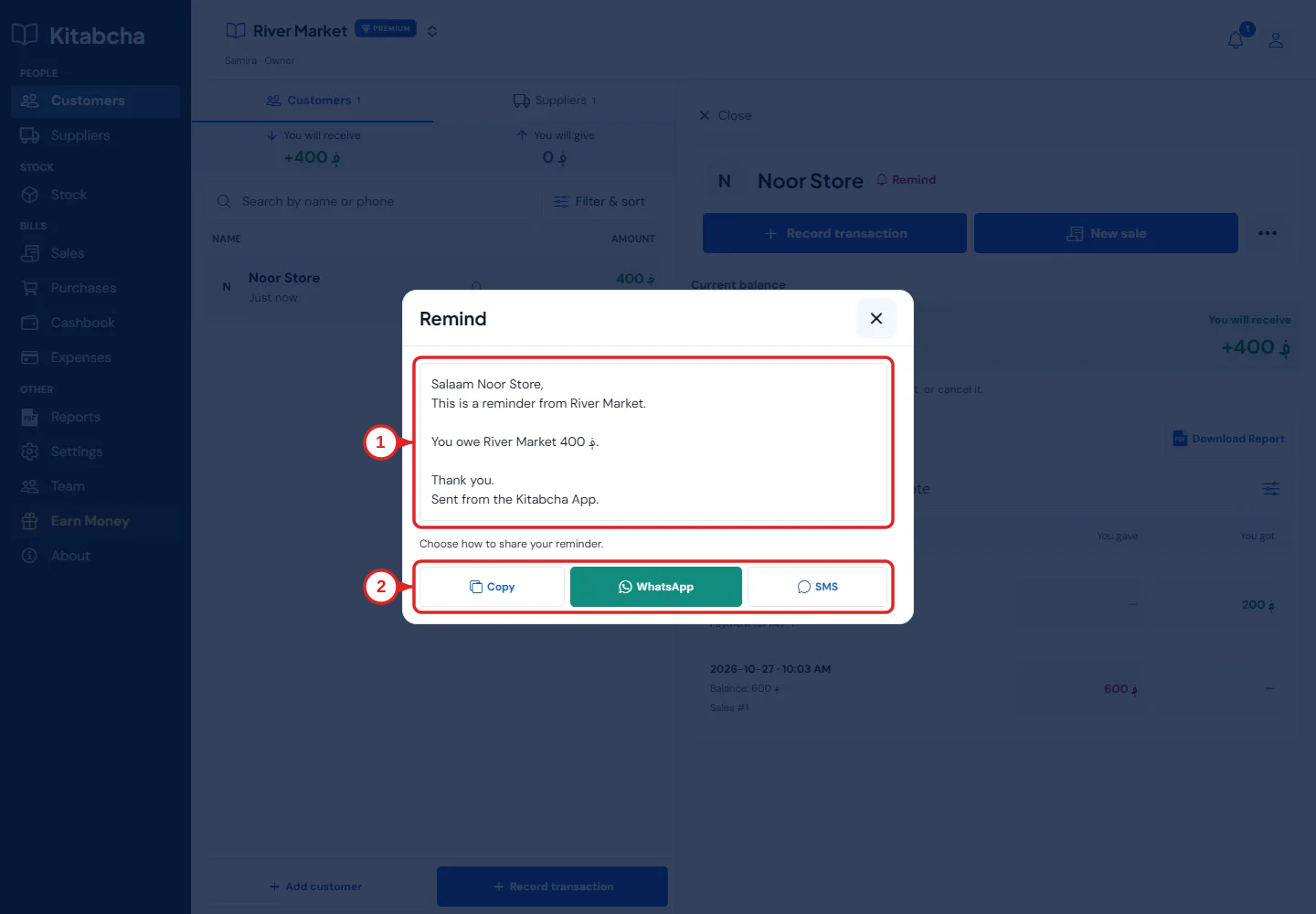
- Preview amount and currency
- Choose a sharing method
Prepare a reminder
- Open the person’s account and select Remind. Check that you are reminding the correct person about the correct balance.
- Review the message, amount, currency and business name. Choose the app language first if you want the reminder in Dari or Pashto.
- Select WhatsApp to open the message there, Message for the available messaging option, or Copy to paste it yourself.
- Check the recipient in the destination app and press Send there. Opening the reminder does not by itself confirm the person received a message.
If the message or number is wrong
- Correct the person’s phone number, including country code, before sharing. A WhatsApp number must be registered with WhatsApp.
- For multi-currency accounts, check which currency’s balance is being reminded. Do not replace a currency symbol without checking the amount.
- Review reminder preferences in Notifications. A manually shared WhatsApp reminder is different from a push notification on your own device.
Need a hand?
Tell us which step you reached and what happened. Keep sign-in codes and private business data out of public messages.
WhatsApp supportEmail support