
People & money · Kitabcha help
Add customers and suppliers and read their balances
Create people, search and filter accounts, understand green and crimson balances, and download individual statements.
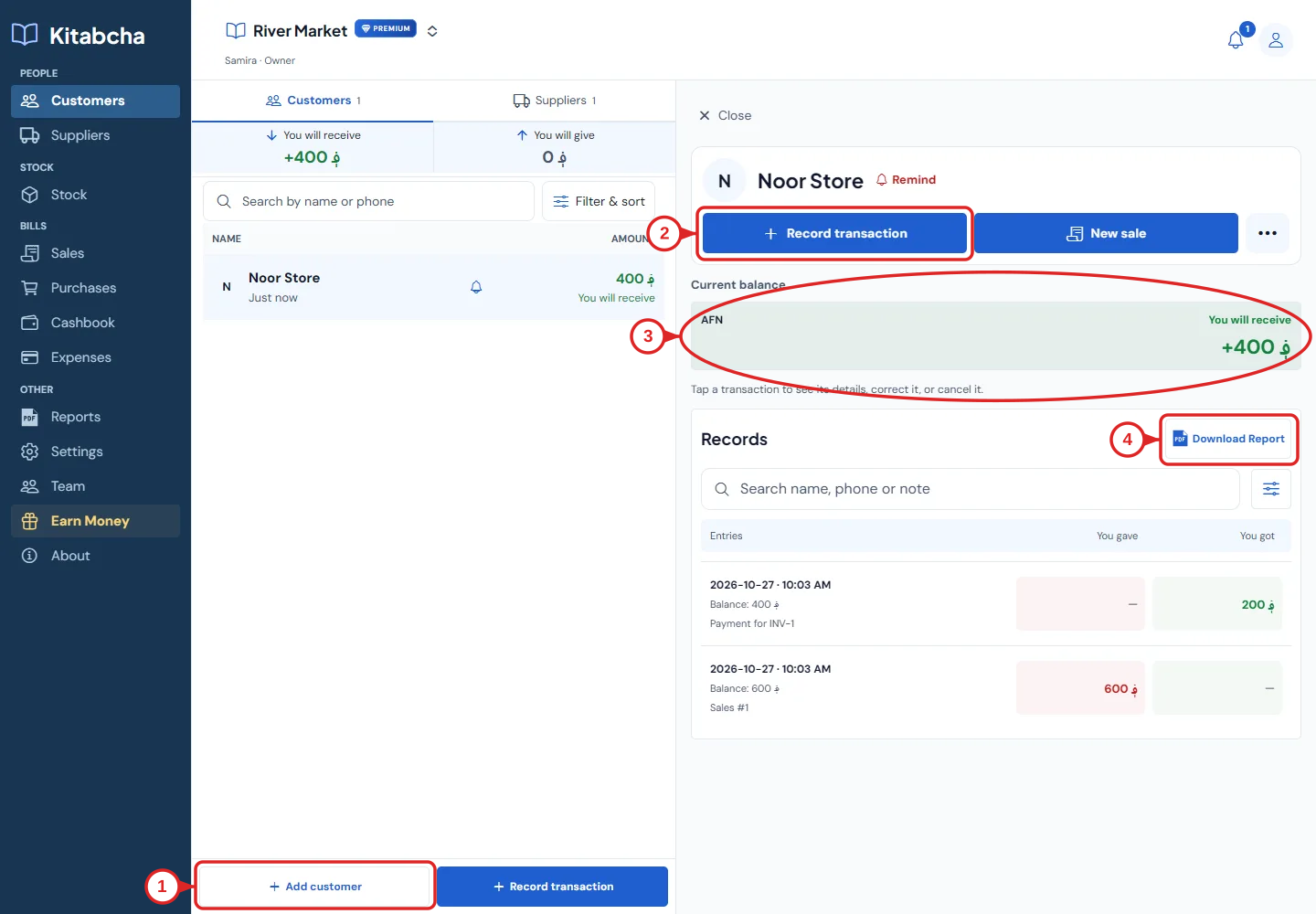
- Add a customer
- Record a transaction
- Current balance
- Individual PDF report
Add a person
- Open Customers or Suppliers. Select “Add customer” or “Add supplier”.
- Enter the name and, if available, the phone number with country code. Add a photo or notes when useful, then save.
- Use the existing person when their phone number is already registered in that Kitabcha. Do not create a second account to record another transaction with the same person.
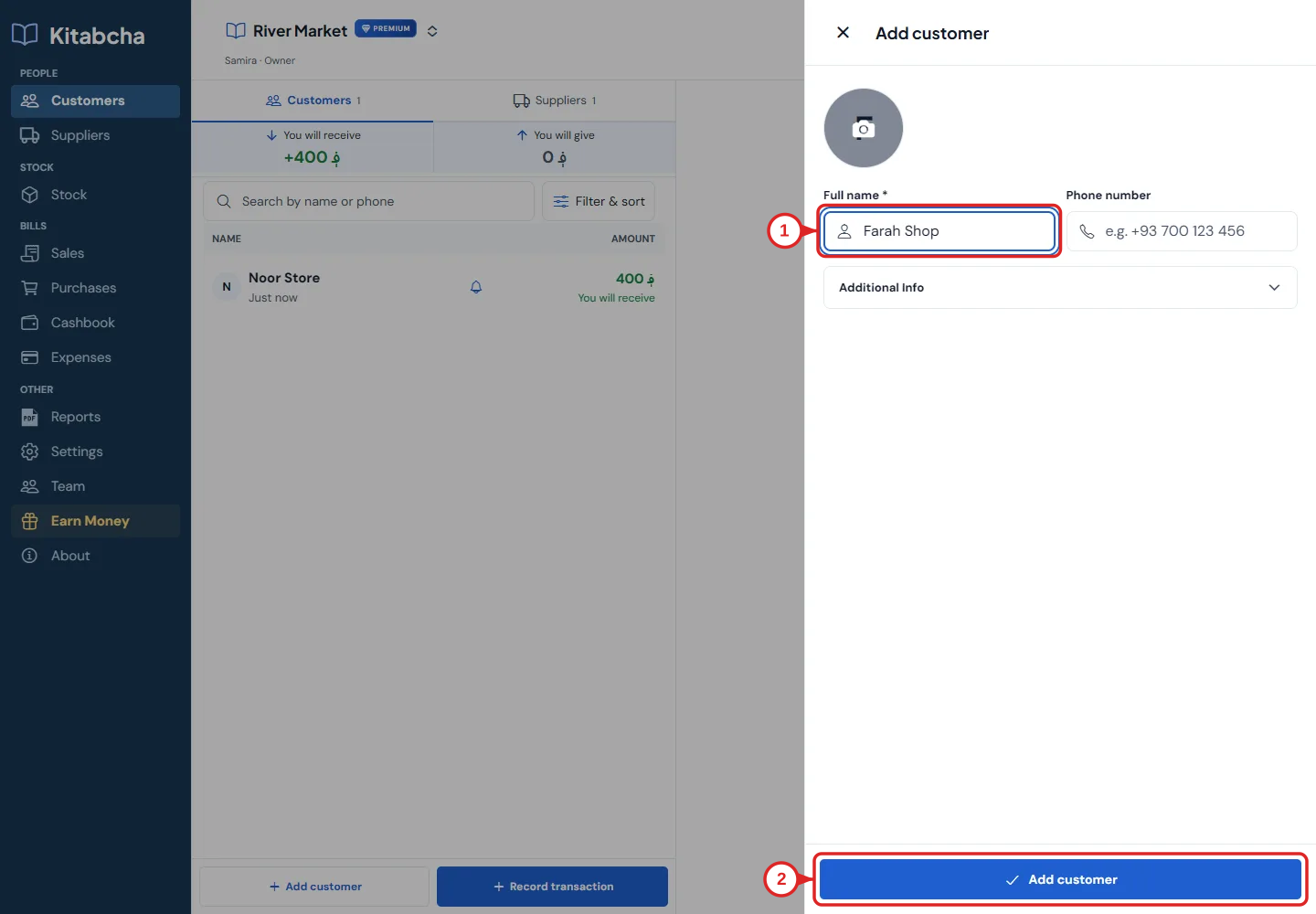
- Name
- Save the person
Understand the balance
- “You will receive” means the other person owes your business. “You will give” means your business owes the other person. Read the wording as well as the color.
- For example, a 600 AFN credit sale followed by a 200 AFN payment leaves 400 AFN to receive. A 1,600 AFN unpaid purchase leaves 1,600 AFN to give to the supplier.
- A supplier can legitimately have a receivable balance after an advance payment, refund or retained payment on a cancelled purchase. Check the records instead of changing the balance direction manually.
- Balances are separate for each currency. AFN, USD and IRR are not added together as if they were one currency.
Find records and share a statement
- Search by name or phone and use “Filter & sort” to narrow the directory. Select a person to open their records.
- Use Record transaction to add credit or a payment. Use New sale or New purchase for a bill with products.
- Select Download Report in the person’s Records section to create an individual statement. Check its date range and currencies before sharing.
Need a hand?
Tell us which step you reached and what happened. Keep sign-in codes and private business data out of public messages.
WhatsApp supportEmail support