
People & money · Kitabcha help
Record credit, money received and money given
Choose the right transaction direction, currency, payment mode and date when updating a customer or supplier ledger.
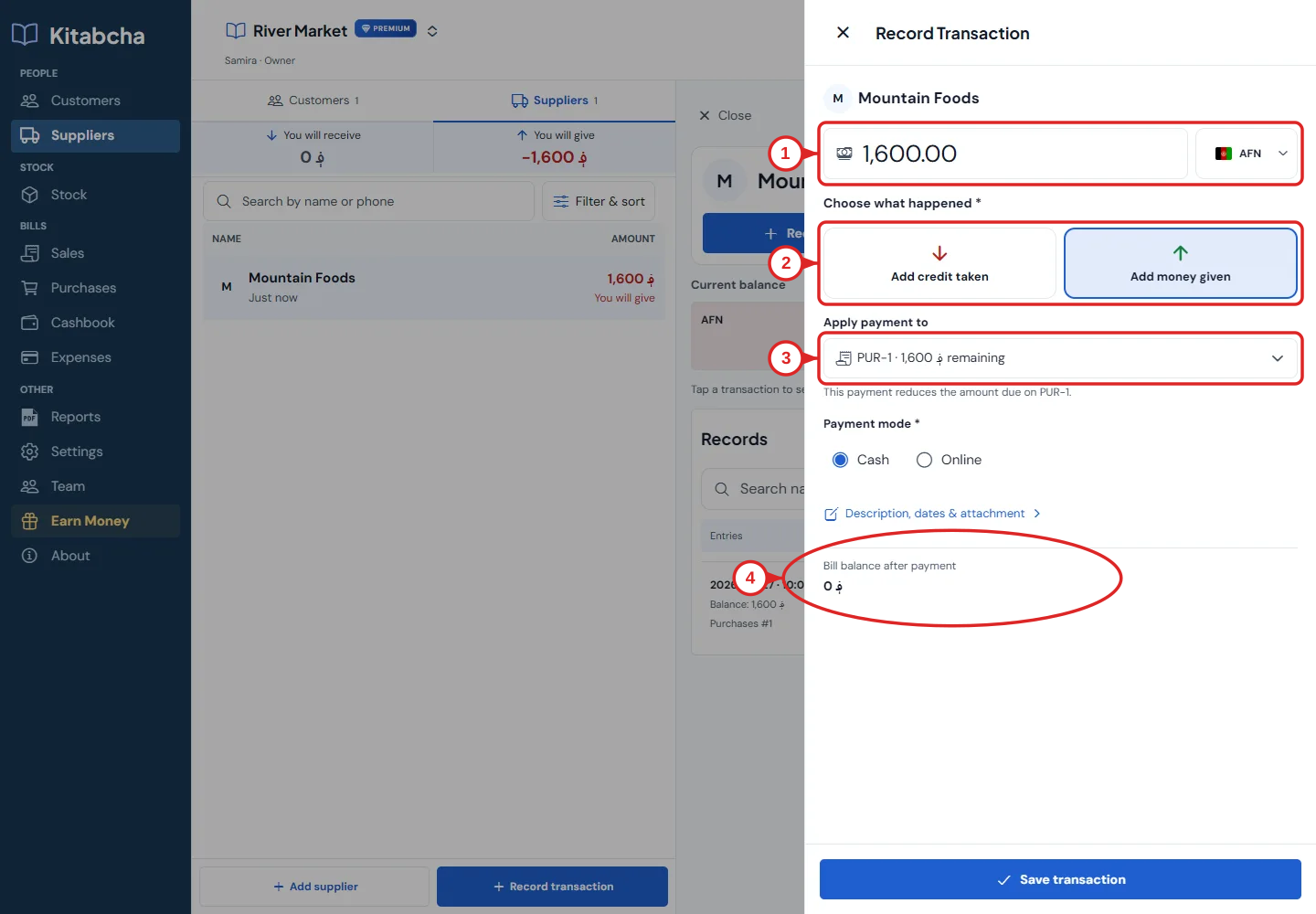
- Amount and currency
- Choose the payment event
- Apply payment to a bill
- Review the remaining balance
Choose what actually happened
- Open the customer or supplier, then select Record transaction.
- Choose the event by its wording: credit given or taken records a debt; money received or given records a payment. Check that the action matches your real transaction.
- Enter the amount and currency. Record the amount in the currency actually used; do not select USD for an AFN payment.
- For a payment, choose Cash or Online. Expand the additional details for description, dates or attachments when needed.
- Review the balance after the transaction and select Save transaction once. Wait for confirmation before closing the form.
Avoid counting the same debt twice
- If you created a sale or purchase bill, that bill already records its debt. Record the later payment against that bill rather than adding the credit again.
- Use a standalone credit entry for new credit that is not already represented by a bill. For debt that existed before you started Kitabcha, use the person’s Opening balance action so it is treated as a starting amount rather than new trading activity.
- If you chose the wrong event, open the record and correct it or cancel it. Keep a note explaining the correction.
Need a hand?
Tell us which step you reached and what happened. Keep sign-in codes and private business data out of public messages.
WhatsApp supportEmail support