
People & money · Kitabcha help
Correct or cancel entries and their payments
Understand the Yes/No payment choice when cancelling bills or entries and preserve an accurate money trail.
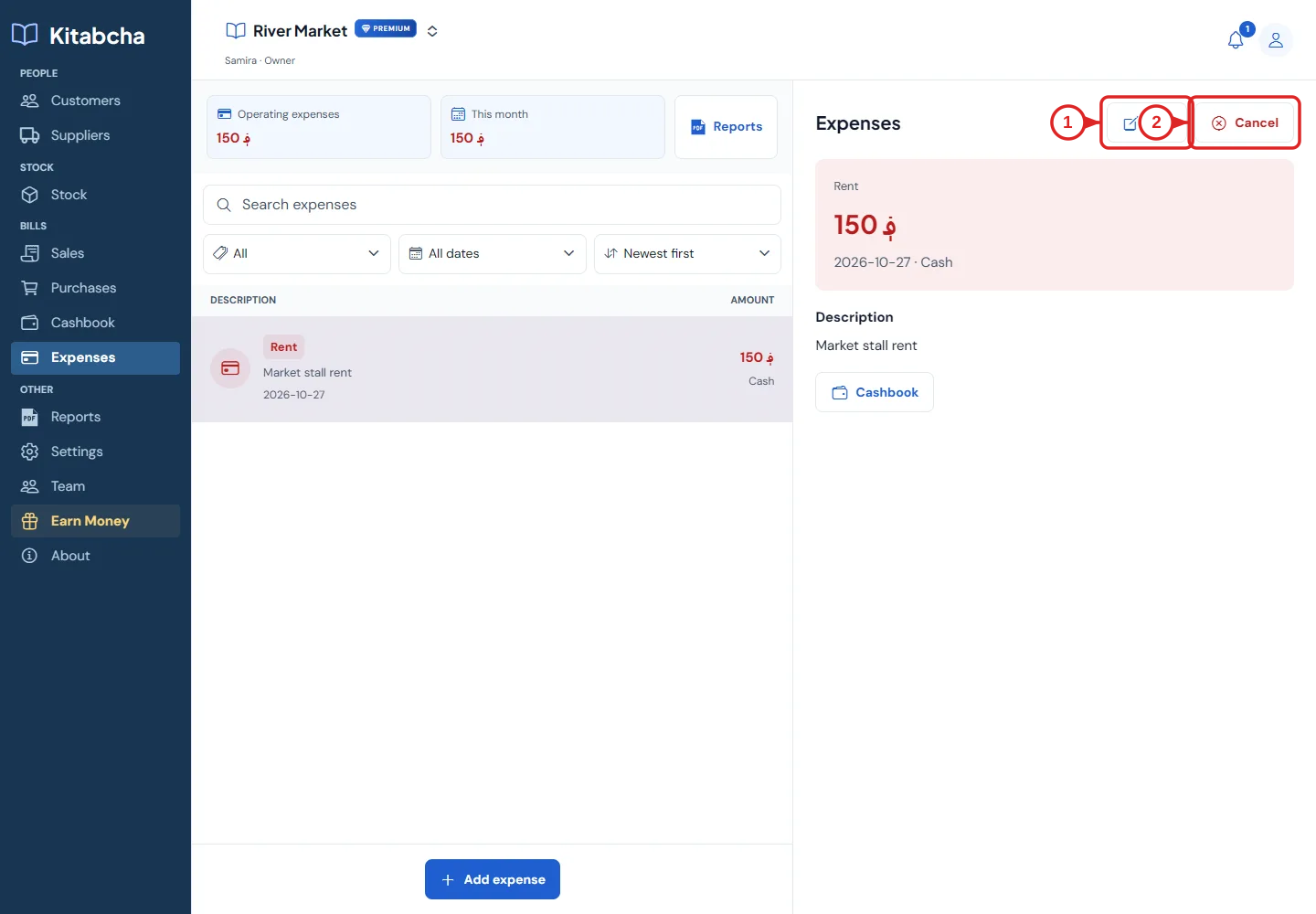
- Edit the record
- Cancel the record
Review before cancelling
- Open the original transaction, invoice, purchase bill or expense. Check the date, person, currency and linked payments.
- Use Edit for a correction where available. Use Cancel when the original event should no longer count. Read the confirmation before accepting.
- When asked whether to cancel its payments too, choose Yes only when those payment entries should also be removed from active balances. Choose No to keep payments that really occurred.
- After cancelling, review the person’s balance, the bill status and the cashbook. Cancelled records may remain visible in history for traceability.
What the payment choice means
- Example: you record a 1,000 AFN purchase and a 200 AFN payment, then cancel the purchase. Keeping the real 200 AFN payment can leave a supplier advance or refund due to you.
- If neither the purchase nor the payment happened, cancelling both avoids leaving a false advance.
- This choice changes Kitabcha records. It does not send money back, reverse a bank transfer or recover cash from a person. Record a real refund accurately.
Need a hand?
Tell us which step you reached and what happened. Keep sign-in codes and private business data out of public messages.
WhatsApp supportEmail support