
People & money · Kitabcha help
Pay a supplier and apply a payment to bills
Repay supplier credit, select one or multiple unpaid purchase bills, and check the amount and remaining balance.
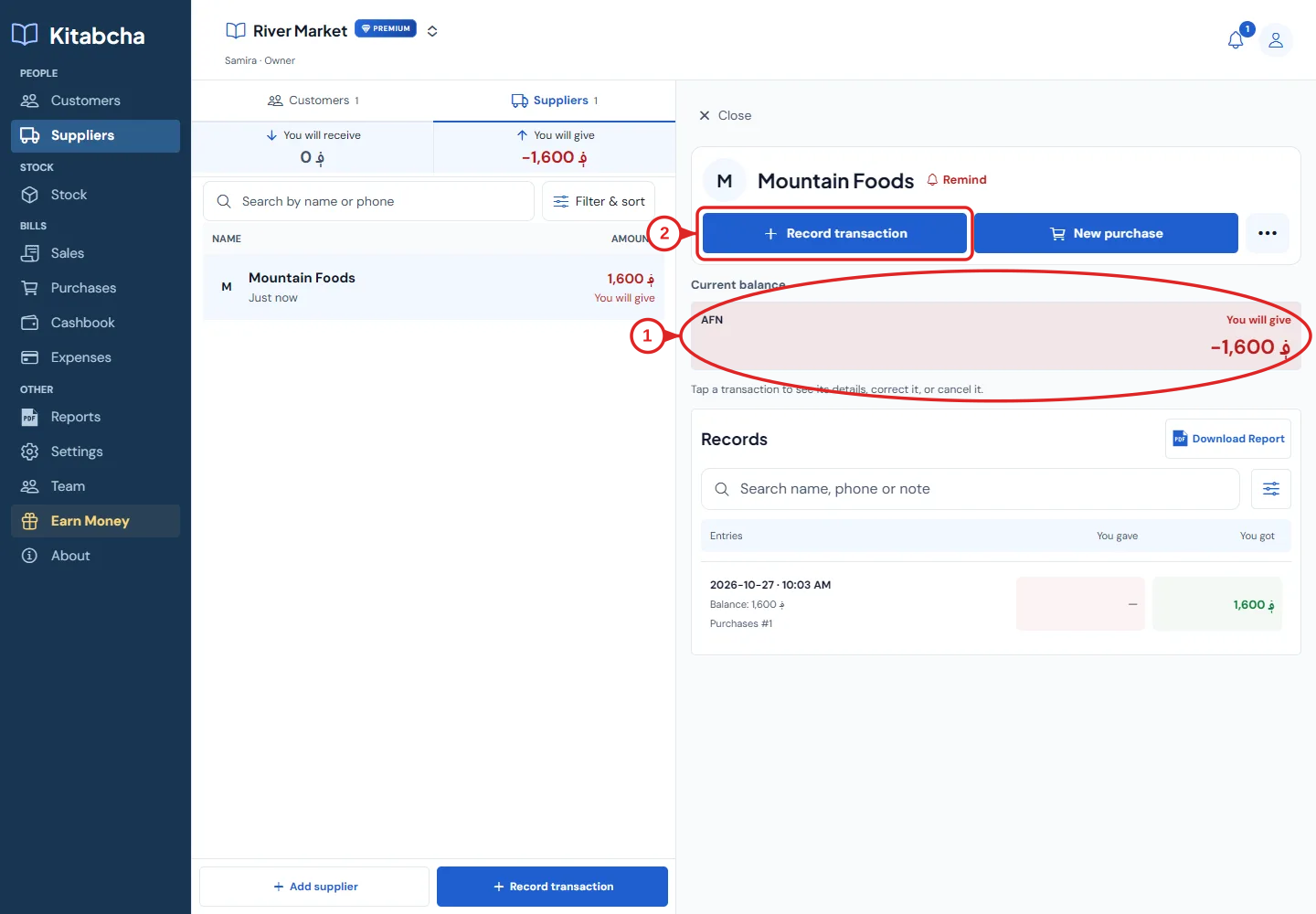
- Supplier amount to pay
- Start a supplier payment
Pay an unpaid purchase
- Open Suppliers and select the supplier. Confirm the currency and the amount marked “You will give”.
- Choose Record transaction, then the money-given payment option.
- In “Apply payment to”, select the purchase bill you are paying. You can select multiple eligible bills in the same currency.
- The amount is filled from the selected bills’ outstanding amounts, not their original totals when they have already been partly paid. Review or adjust it for a partial payment.
- Choose the payment mode and date. Review the remaining bill balance, then save.
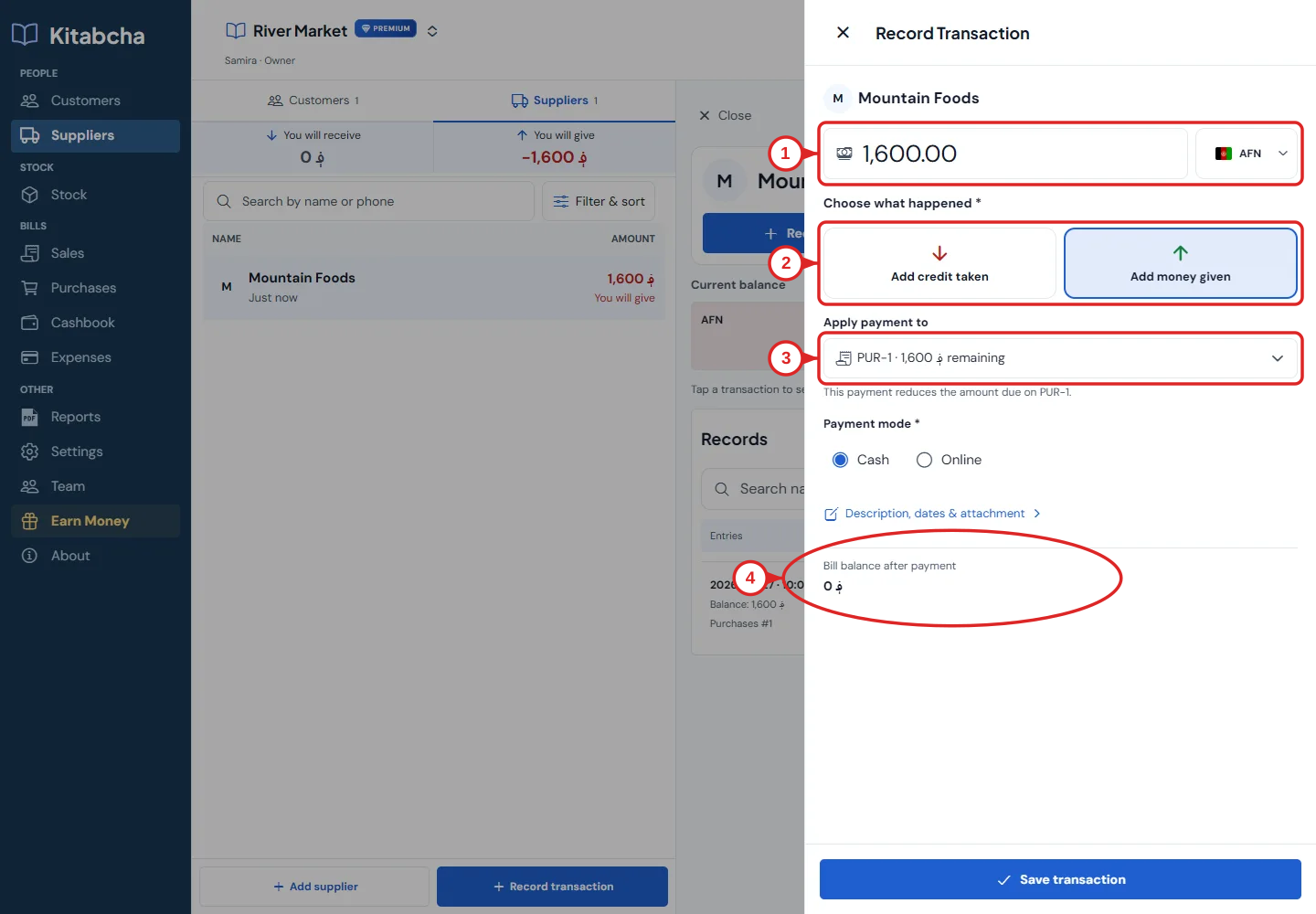
- Amount and currency
- Choose the payment event
- Apply payment to a bill
- Review the remaining balance
Check an unexpected supplier balance
- Open the supplier’s records and compare purchases, payments, cancelled bills and any opening credit.
- A cancelled purchase no longer creates a debt. If its payment was kept, the supplier may owe you a refund or hold an advance. This can correctly show “You will receive”.
- Do not cancel a real payment just to change the displayed balance. Decide whether the money was actually paid and whether it was refunded. See the cancellation guide before making a correction.
Need a hand?
Tell us which step you reached and what happened. Keep sign-in codes and private business data out of public messages.
WhatsApp supportEmail support