
Receive a customer's payment
Record a full or partial payment against an unpaid sale.
Find the customer's account
- Open Customers and select the customer who paid you.
- Choose You Got. To record a payment from a saved invoice, you can also use that invoice's payment action.
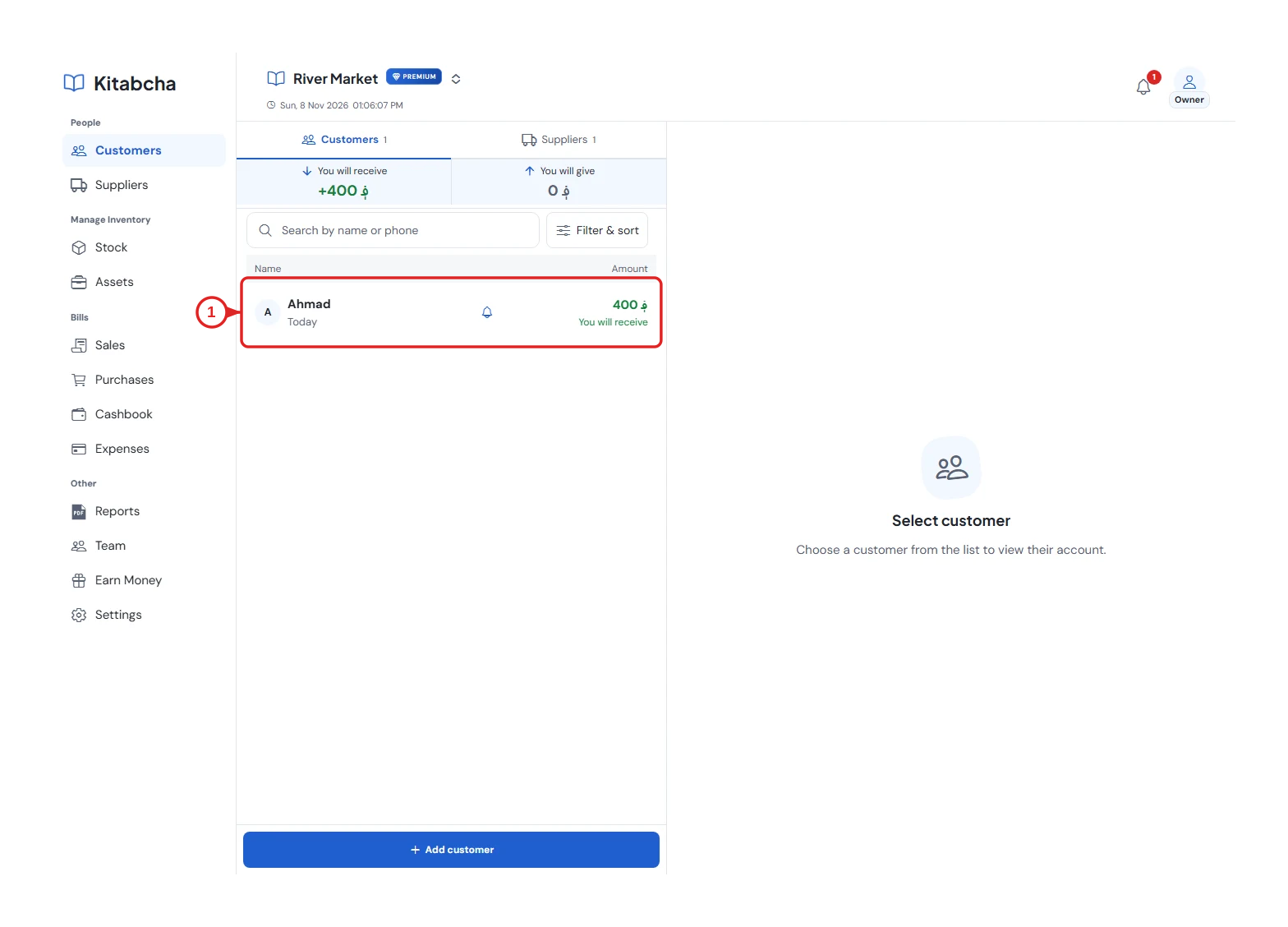
- Choose the customer
Select the bill and amount
- Under Apply payment to, select the unpaid sale or sales in the payment's currency.
- Enter the amount actually received. Choose Cash or Online and the date, then save the payment.
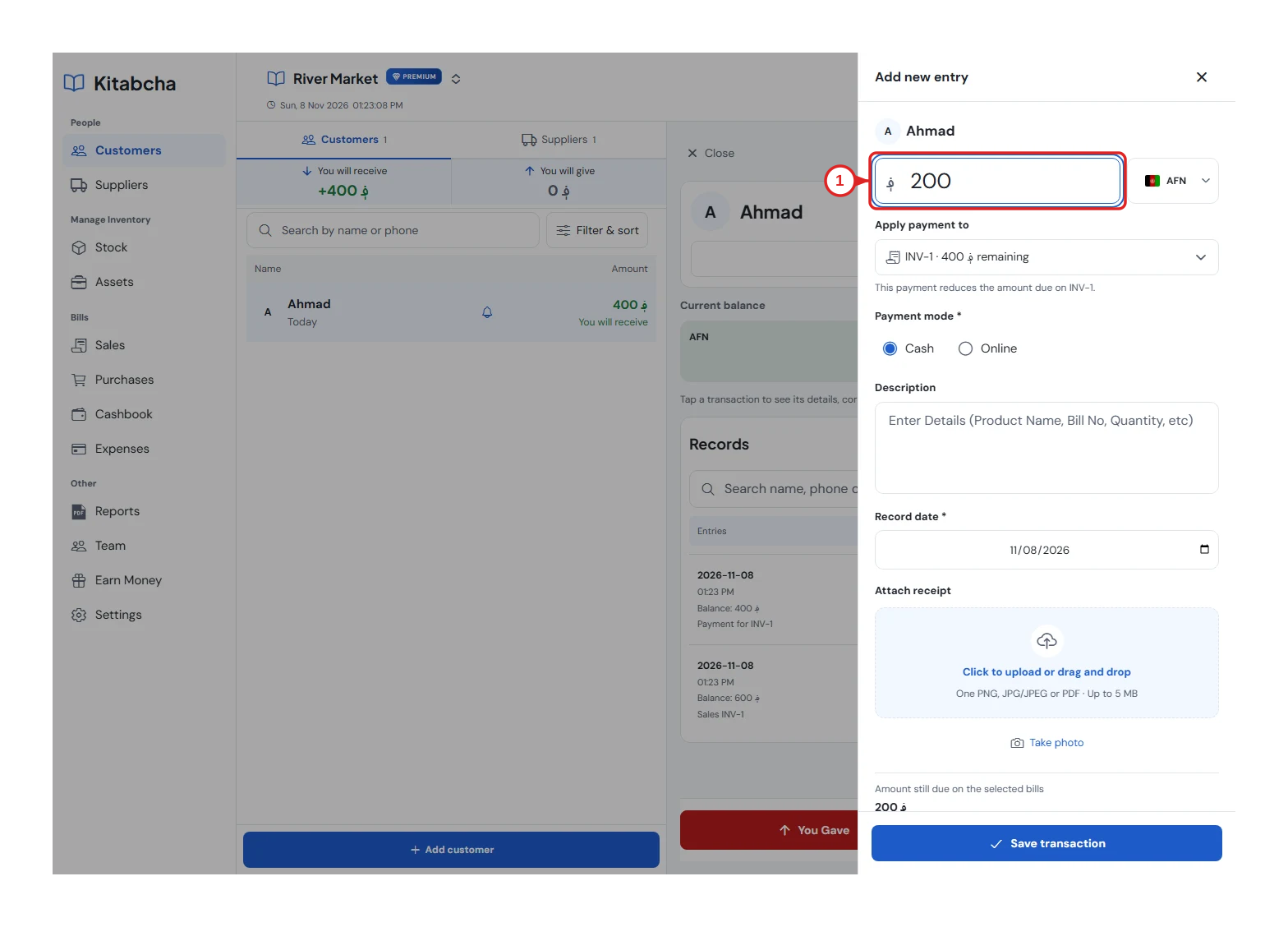
- Amount and currency
Check what remains
- For example, Ahmad buys groceries on credit for 600 AFN and pays 200 AFN; 400 AFN remains due. Open the invoice or customer's account to check it.
- For an old starting debt without an invoice, record You Got without selecting a bill. Do not create another sale for the payment.
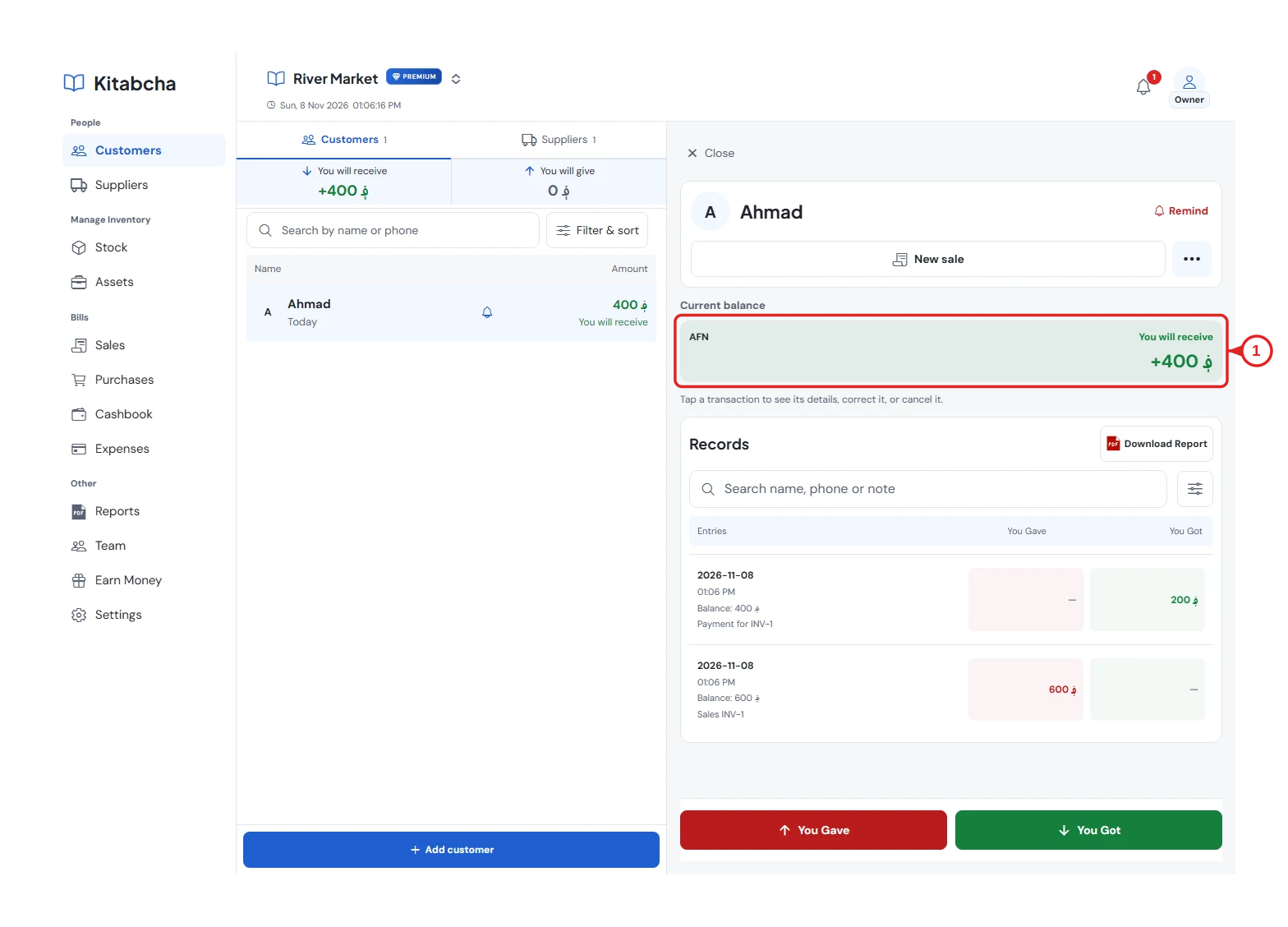
- Current balance
Need a hand?
Tell us which step you reached, your device and what happened. Never share sign-in codes or private records in public messages.
WhatsApp supportEmail support