
Reset or delete your Kitabcha
Understand the scope before permanently removing business records or your account.
Save anything you need
- Check the Kitabcha name and download a copy of the records you want to keep from Settings.
- Open Settings → Reset & Delete and read the scope of the selected action. These actions are for the owner and can permanently remove data.
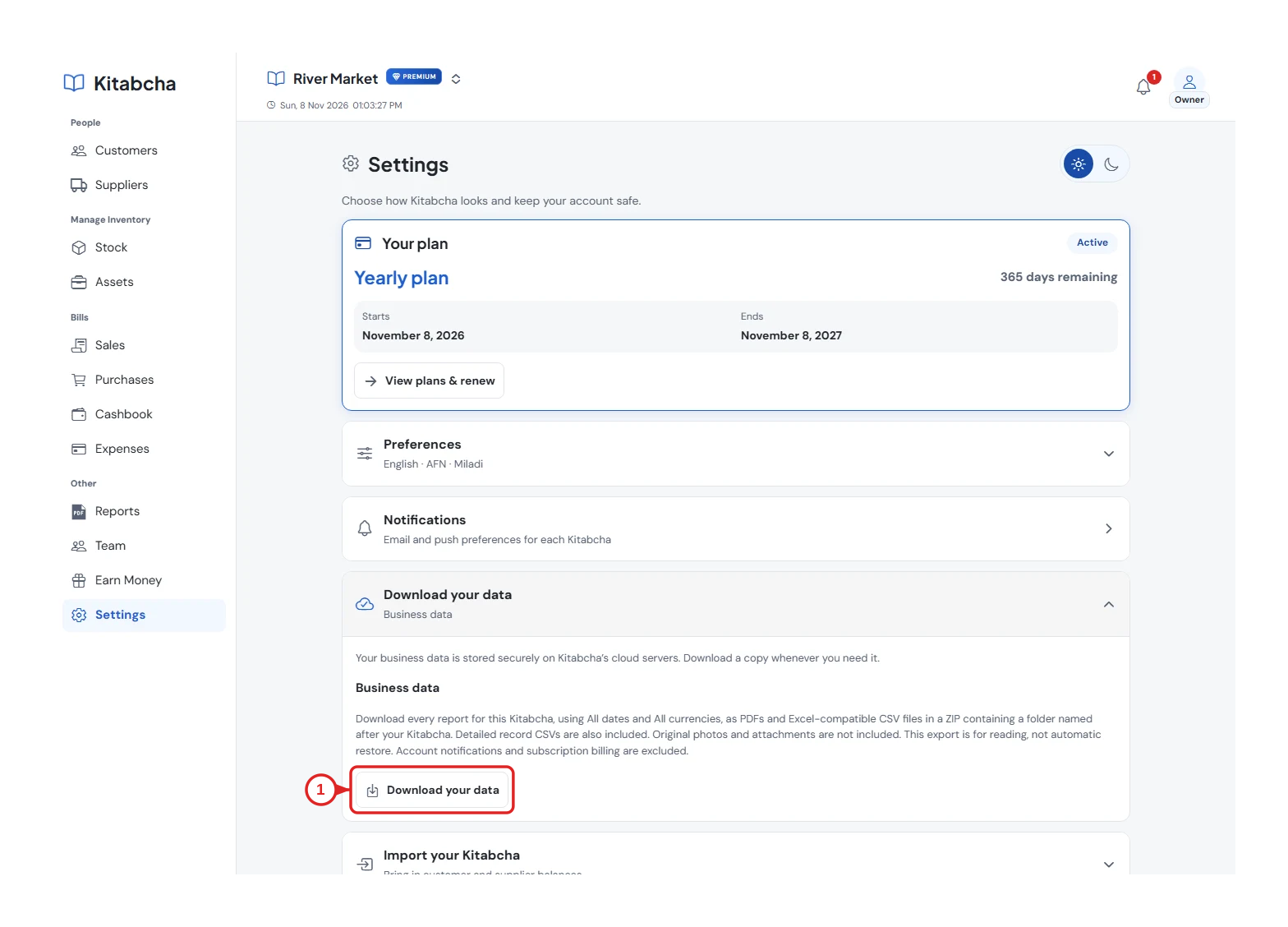
- Download your records
Reset or delete a business
- Use Reset only when you intend to clear the records described by its confirmation. Use Delete Kitabcha when you intend to remove that business.
- Enter the exact Kitabcha name and complete the acknowledgement required by the confirmation. Follow any backup requirement shown for that action.
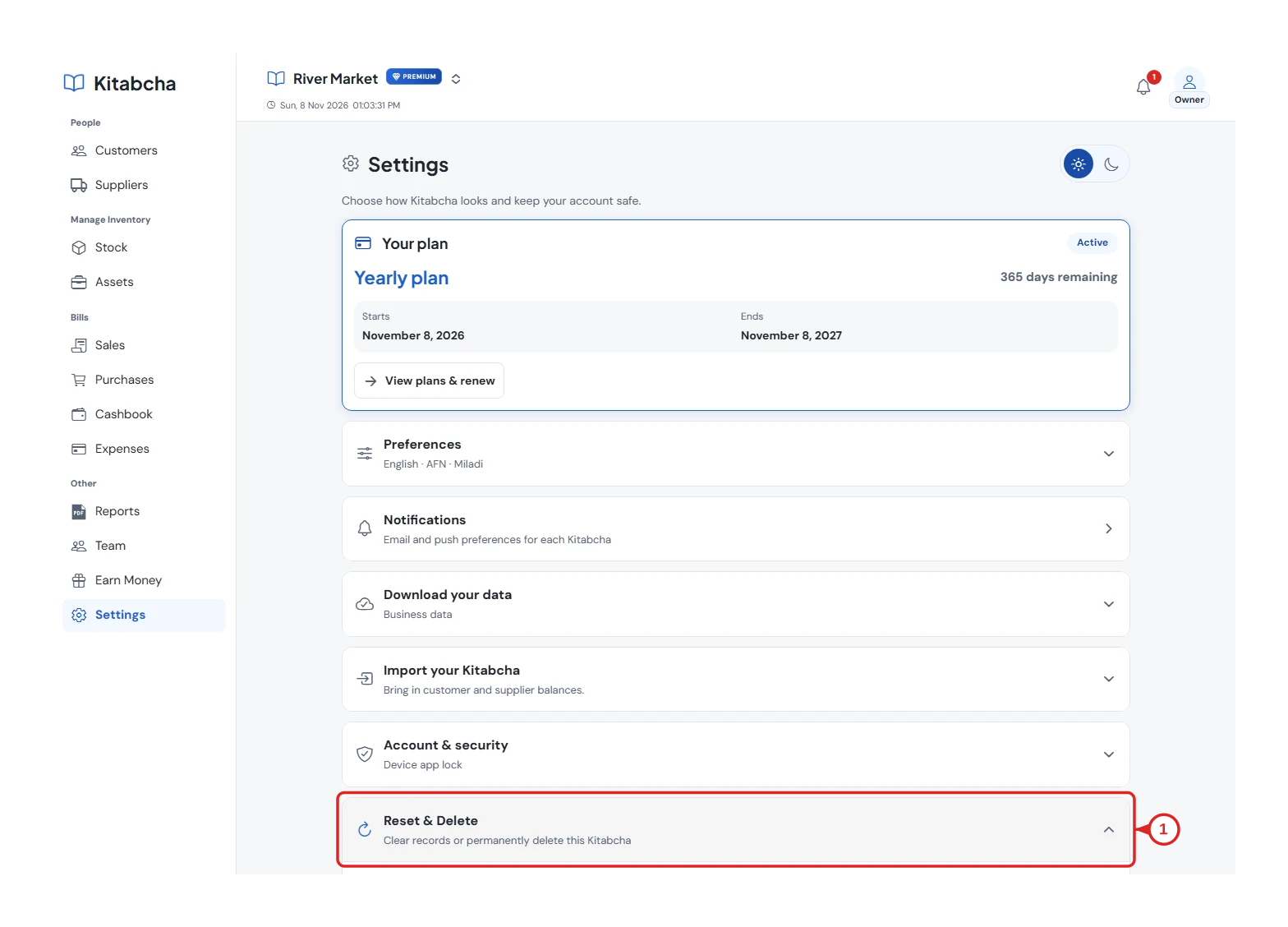
- Review reset and deletion options
Deleting your final Kitabcha
- When deleting your last owned Kitabcha, the app offers permanent account deletion as well. Review the account and data scope before confirming.
- Full account deletion does not require exporting first, but deleted account data cannot be recovered through normal sign-in. To fix a single mistake, edit the record or use Recycle Bin instead.
Need a hand?
Tell us which step you reached, your device and what happened. Never share sign-in codes or private records in public messages.
WhatsApp supportEmail support