
Account & team · Kitabcha help
Download your data, import a Kitabcha and protect access
Find backup and import tools, understand account security, and avoid destructive resets or accidental duplicate records.
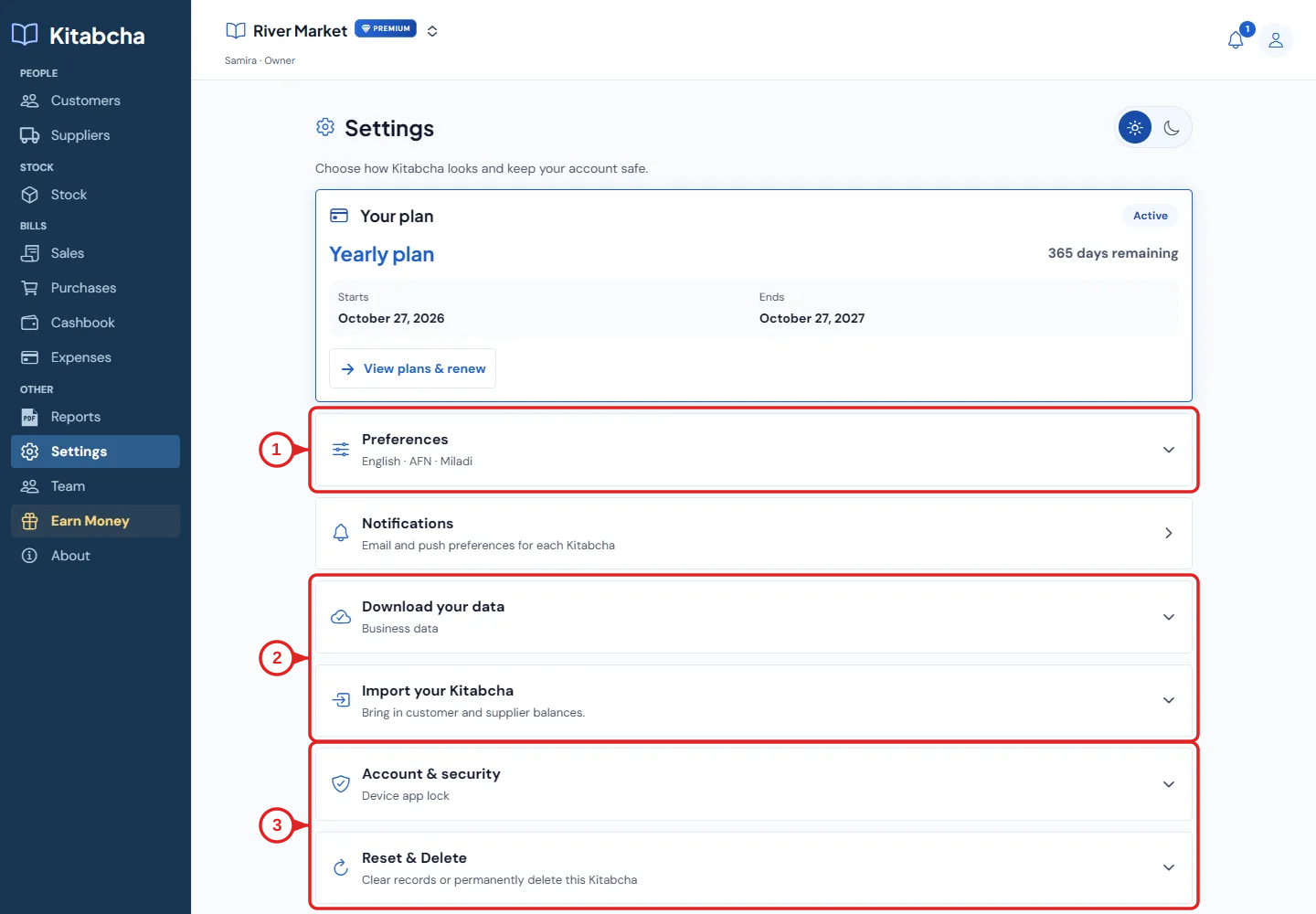
- Language and currency preferences
- Download and import
- Security and destructive actions
Download and protect your data
- Open Settings and expand Download your data. The account archive includes business records from every Kitabcha you own in JSON and CSV files for Excel. Account notifications and subscription billing are excluded. Save it in a private location.
- A downloaded backup can contain sensitive business and personal information. Do not post it in a public group or share it with an unknown person.
- PDF statements are for reading and sharing. The account archive is a separate data export; do not assume the CSV balance-import tool can restore the entire archive.
Import carefully
- Open Import your Kitabcha to bring in existing customer and supplier balances from a CSV file. Download the template and use its required columns; this is different from restoring a full account archive.
- Confirm which business you are importing into. Fill the template, then review the entries and validation warnings before importing. Do not import the same balances repeatedly.
- Check people, currencies and balances after the import. Keep the original export until you have verified the result.
Security and destructive actions
- Use Account & security for the available account controls. Keep your email and WhatsApp account secure and give team members their own access.
- Reset & Delete contains destructive actions. Read the exact scope before proceeding and download the necessary data first.
- For help with a missing record, first check the active business, filters and date range. Do not reset the app or delete a business as a first troubleshooting step.
Need a hand?
Tell us which step you reached and what happened. Keep sign-in codes and private business data out of public messages.
WhatsApp supportEmail support