
Keep accounts in different currencies
Record AFN, USD and other currencies without mixing their balances.
Choose the transaction currency
- In a sale, purchase or payment, select the currency actually used and enter the amount in that currency.
- A bill's products and payments must follow its currency rules. Use separate bills when the goods are priced in different currencies.
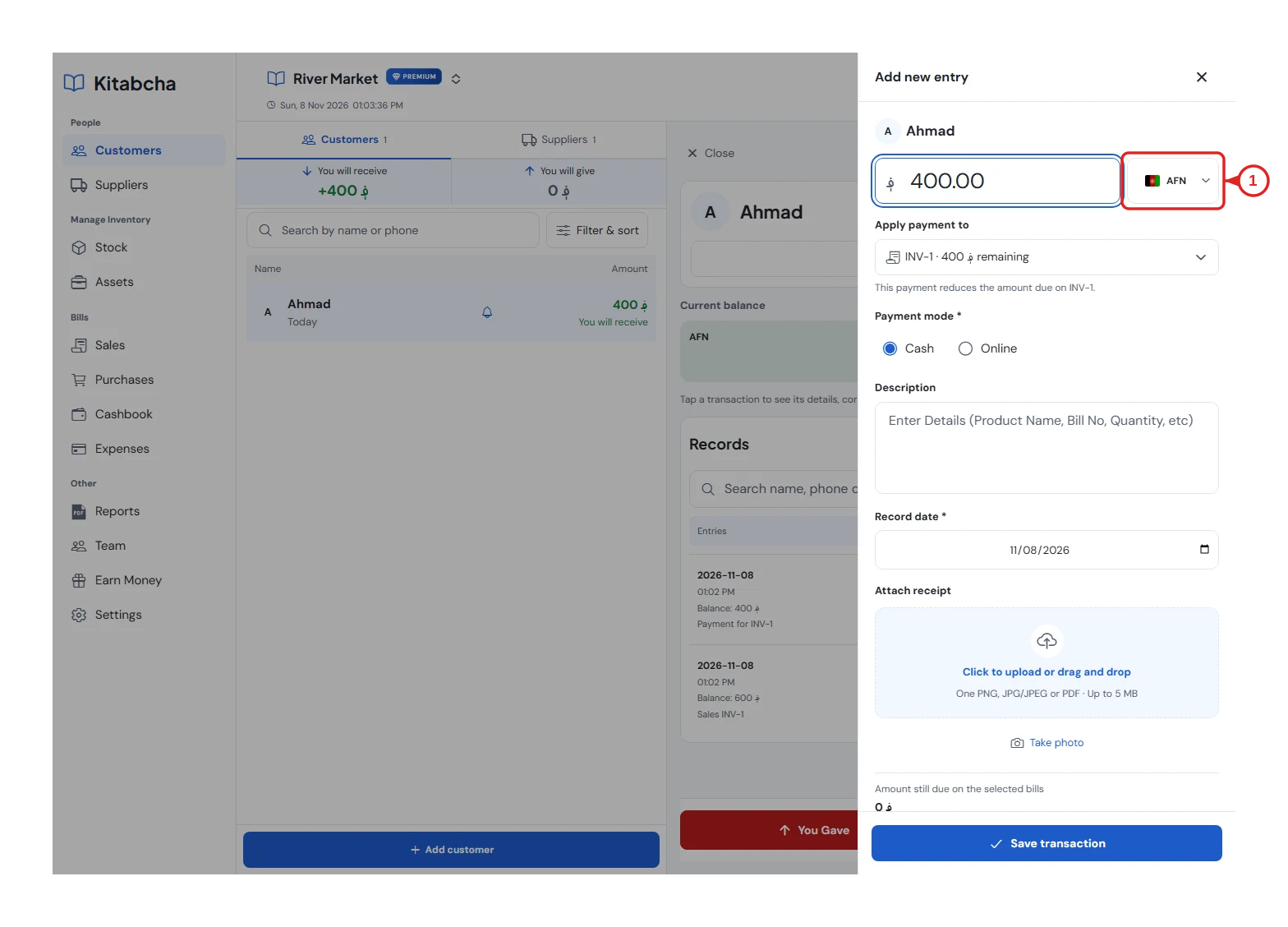
- Choose the currency
Read separate balances
- Use the currency filter or All currencies to see the person's balances.
- If someone owes 400 AFN and 10 USD, those are two amounts—not a single balance of 410.
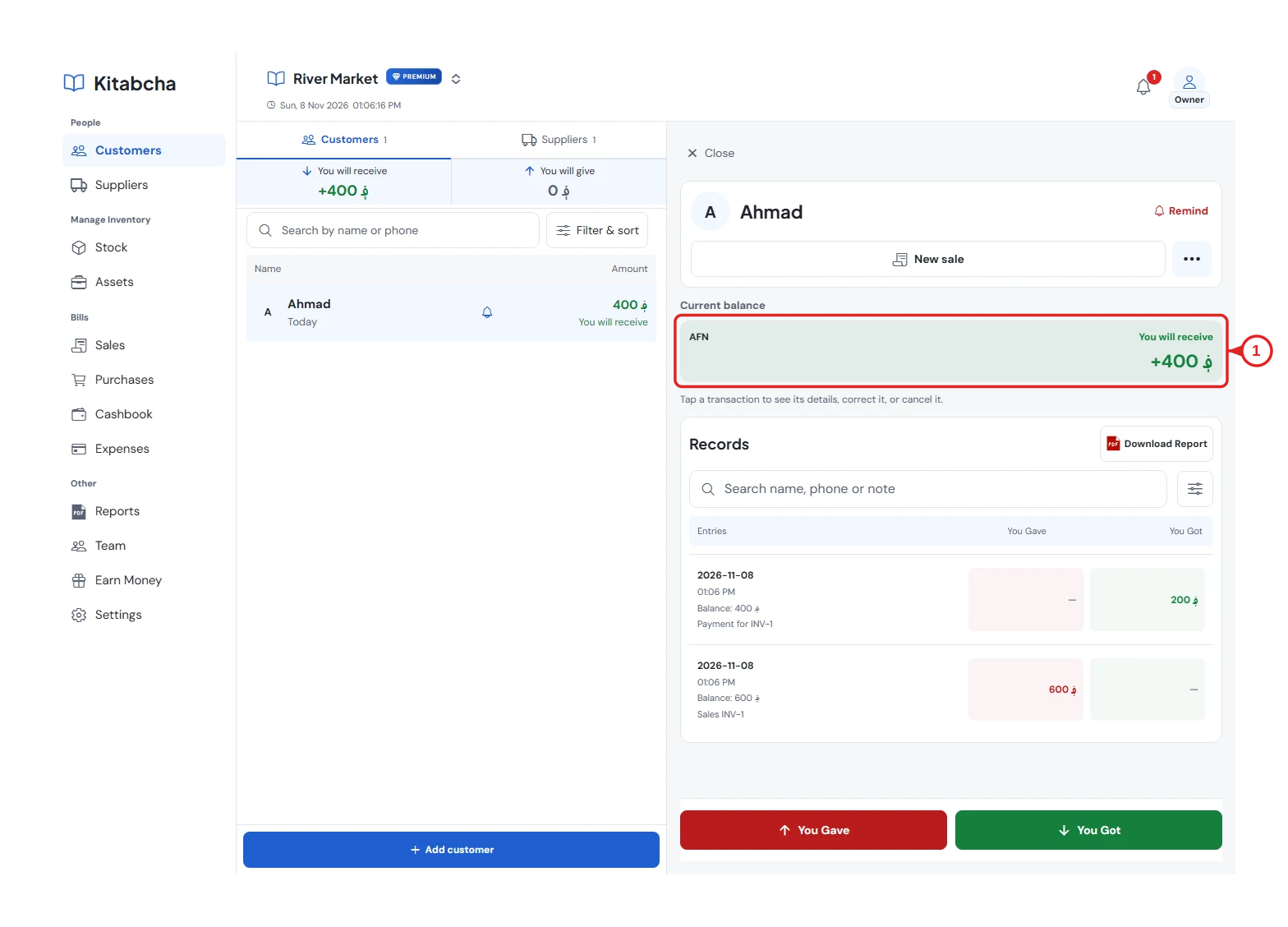
- Current balance
Compare reports correctly
- Select the same currency and period when comparing statements and reports.
- Changing the default currency does not exchange money or rewrite an old invoice. Review any exchange-rate information explicitly requested by a payment flow before saving.
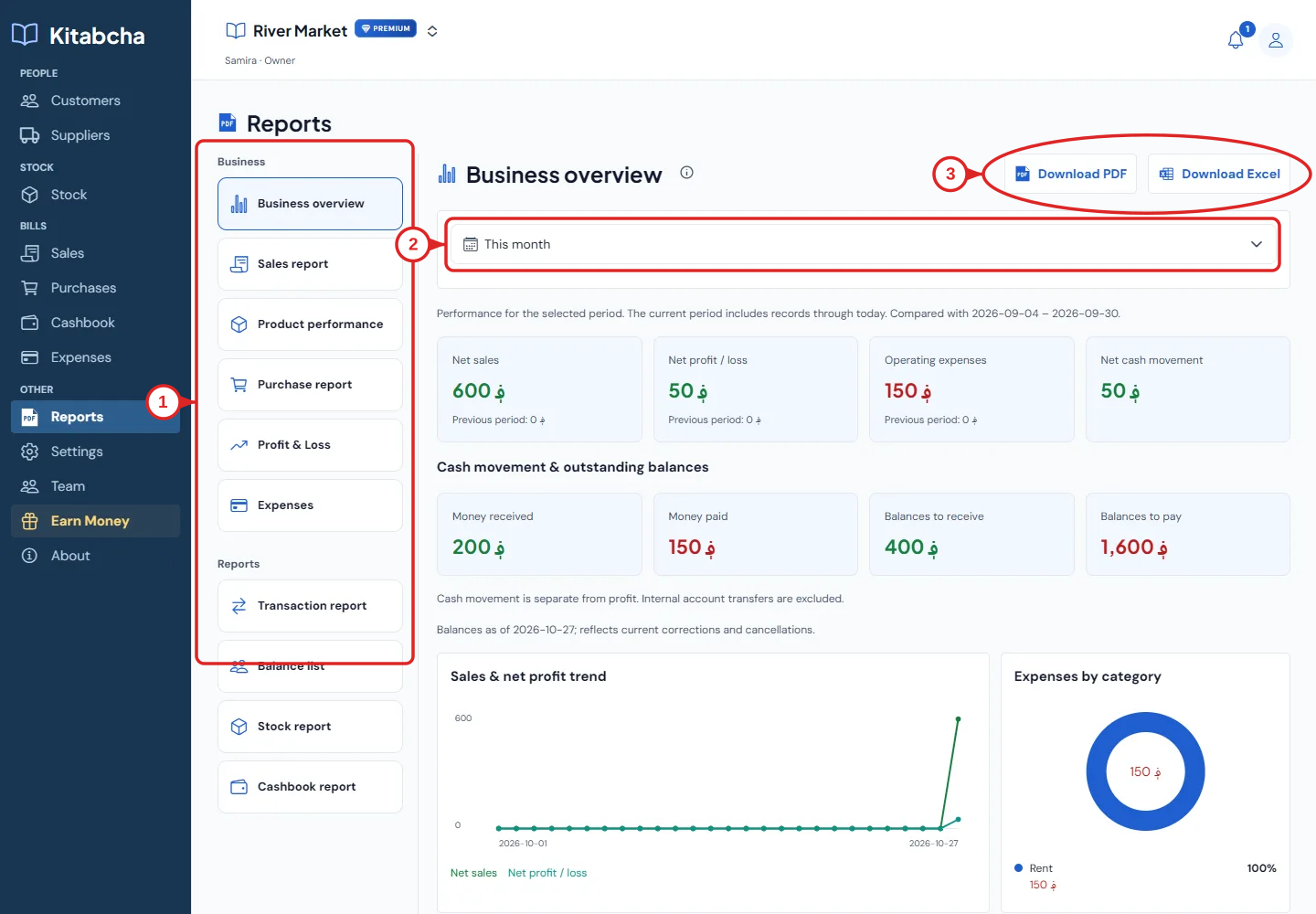
- Open reports
Need a hand?
Tell us which step you reached, your device and what happened. Never share sign-in codes or private records in public messages.
WhatsApp supportEmail support