
Switch or add a Kitabcha
Keep separate businesses in separate books and open the right one before recording activity.
Open the switcher
- Select the Kitabcha name at the top of the app.
- Personal lists the Kitabchas you own; Teams lists those shared with you. Each tab shows its count.
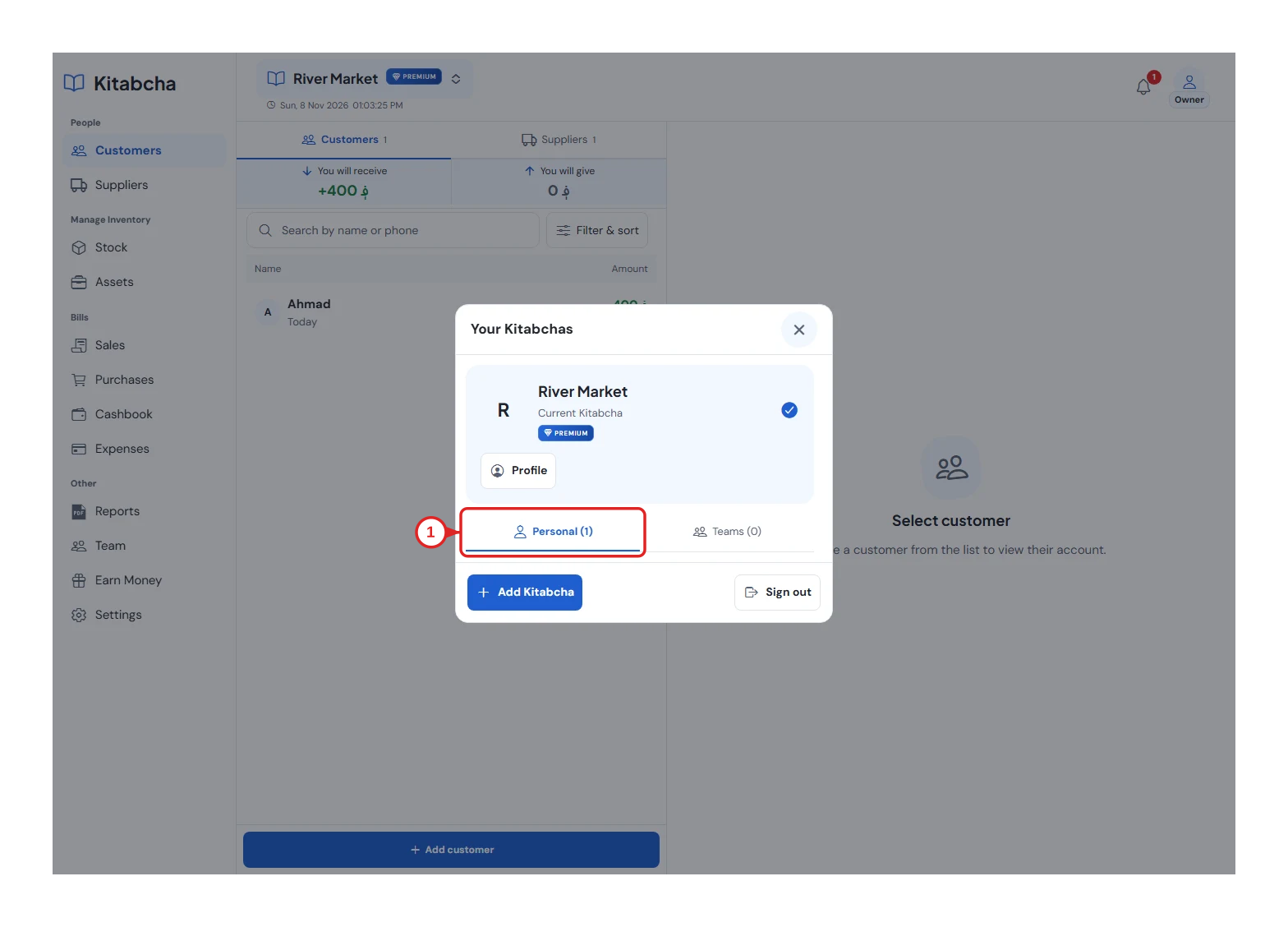
- Choose your Kitabcha
Choose or create a book
- Select a Kitabcha to open it. Check the name and your role in the header before entering records.
- To create another business, use Add Kitabcha in the switcher and enter its details. The available number depends on your plan.
Keep records separate
- Customers, stock and reports belong to the selected Kitabcha. Switch back to the correct book if an expected record is missing.
- Switching books does not copy transactions between businesses or change your role in a shared book.
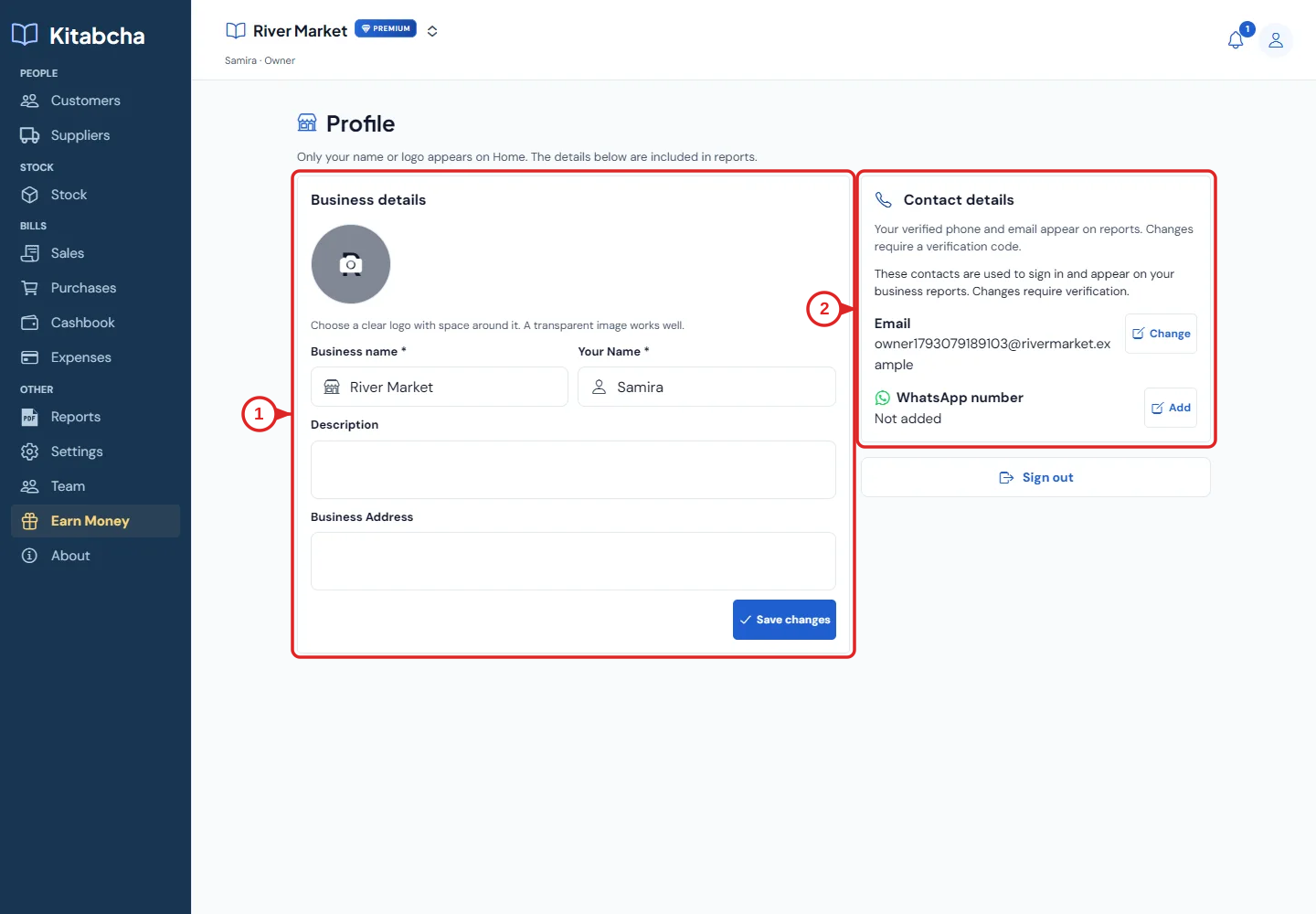
- Open profile
Need a hand?
Tell us which step you reached, your device and what happened. Never share sign-in codes or private records in public messages.
WhatsApp supportEmail support