
Start here · Help
Enter opening balances without counting old debts twice
Bring customer and supplier debts into Kitabcha correctly, choose a starting date and avoid duplicating sales or payments.
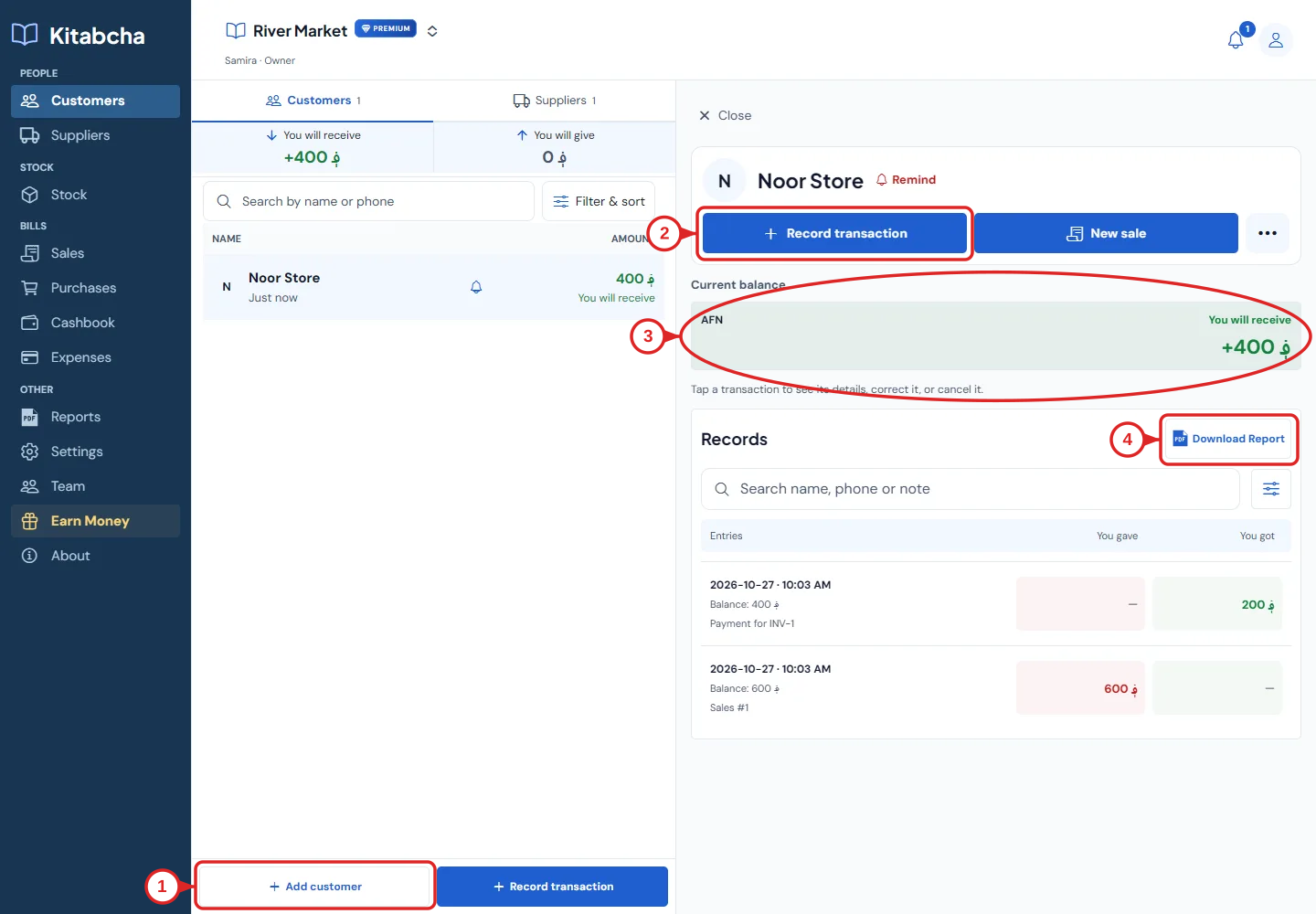
- Add a customer
- Record a transaction
- Current balance
- Individual PDF report
Choose your starting point
- Choose the date from which you will record new activity in Kitabcha. Reconcile the old notebook first.
- List the amounts each customer and supplier owes or is owed, separately for every currency. Do not add unlike currencies.
Enter an opening balance
- Open or create the person, then use their Opening balance action. Choose You will receive if they owe your business, or You will give if your business owes them.
- Enter the amount, currency and opening date, then review and save. If an opening record already exists, open it to edit instead of adding another.
- An opening balance represents an existing debt. Do not also create a new sale, purchase or credit entry for the same old amount.
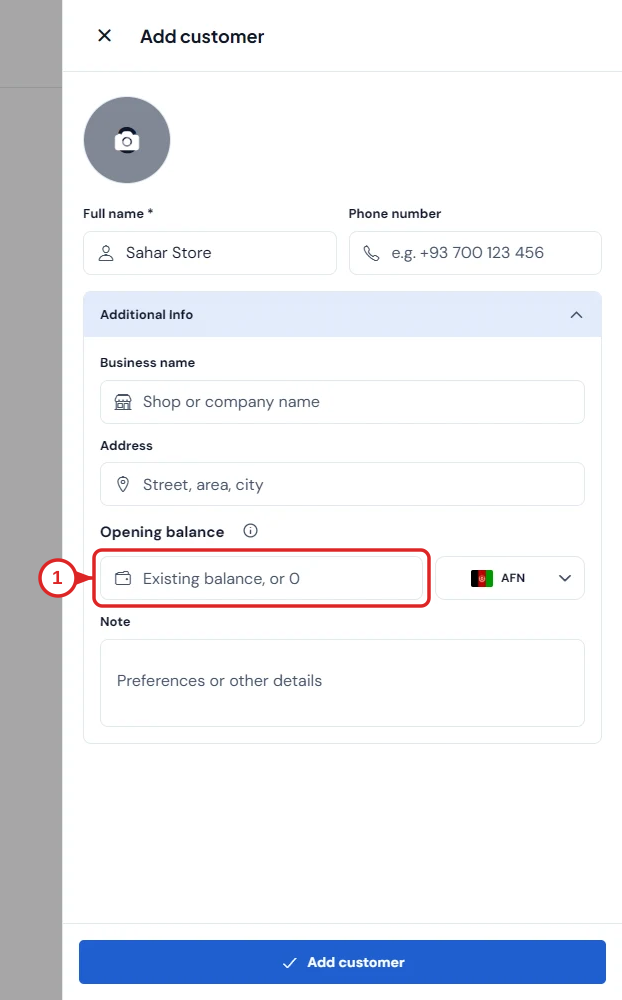
- Enter the opening balance
Import several balances
- For many people, open Settings → Import your Kitabcha and download the CSV template. Follow its columns and preview the entries before accepting.
- Check phone numbers, currencies and balance direction. Import once, then compare a few individual accounts to the original notebook.
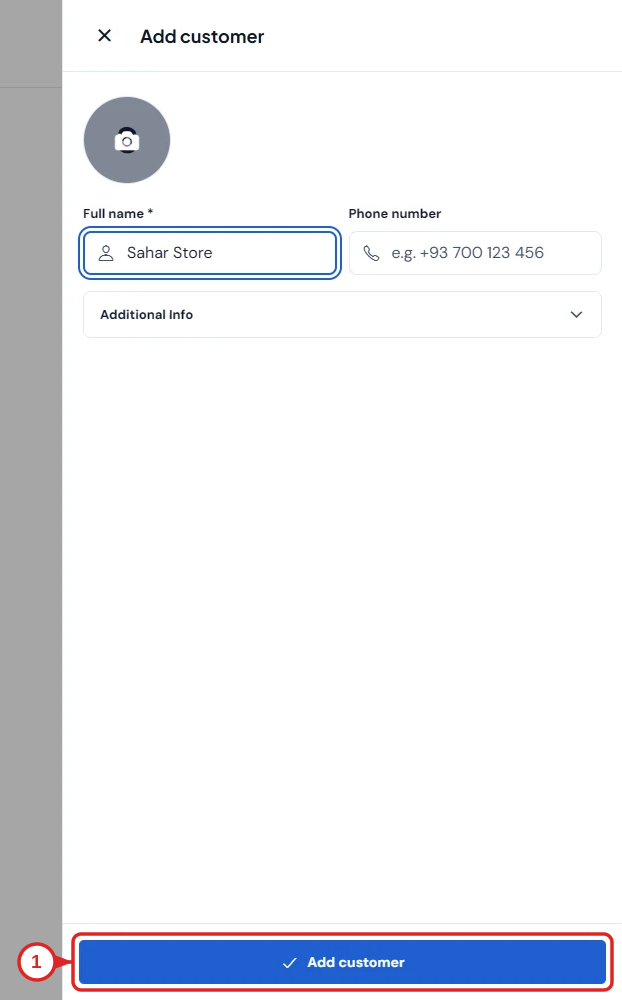
- Save the person
Check a later payment
- A 500 AFN opening receivable followed by a 200 AFN payment leaves 300 AFN to receive. The old 500 AFN is not a new sale this period.
- Keep an original copy of your opening figures and document corrections. If a balance is wrong, check for duplicate imports before changing transactions.
Need a hand?
Tell us which step you reached, your device and what happened. Never share sign-in codes or private records in public messages.
WhatsApp supportEmail support