
Sales & stock · Kitabcha help
Manage products, services, quantities and barcodes
Set up stock tracking, units, prices, low-stock alerts and product details for sales and purchases.
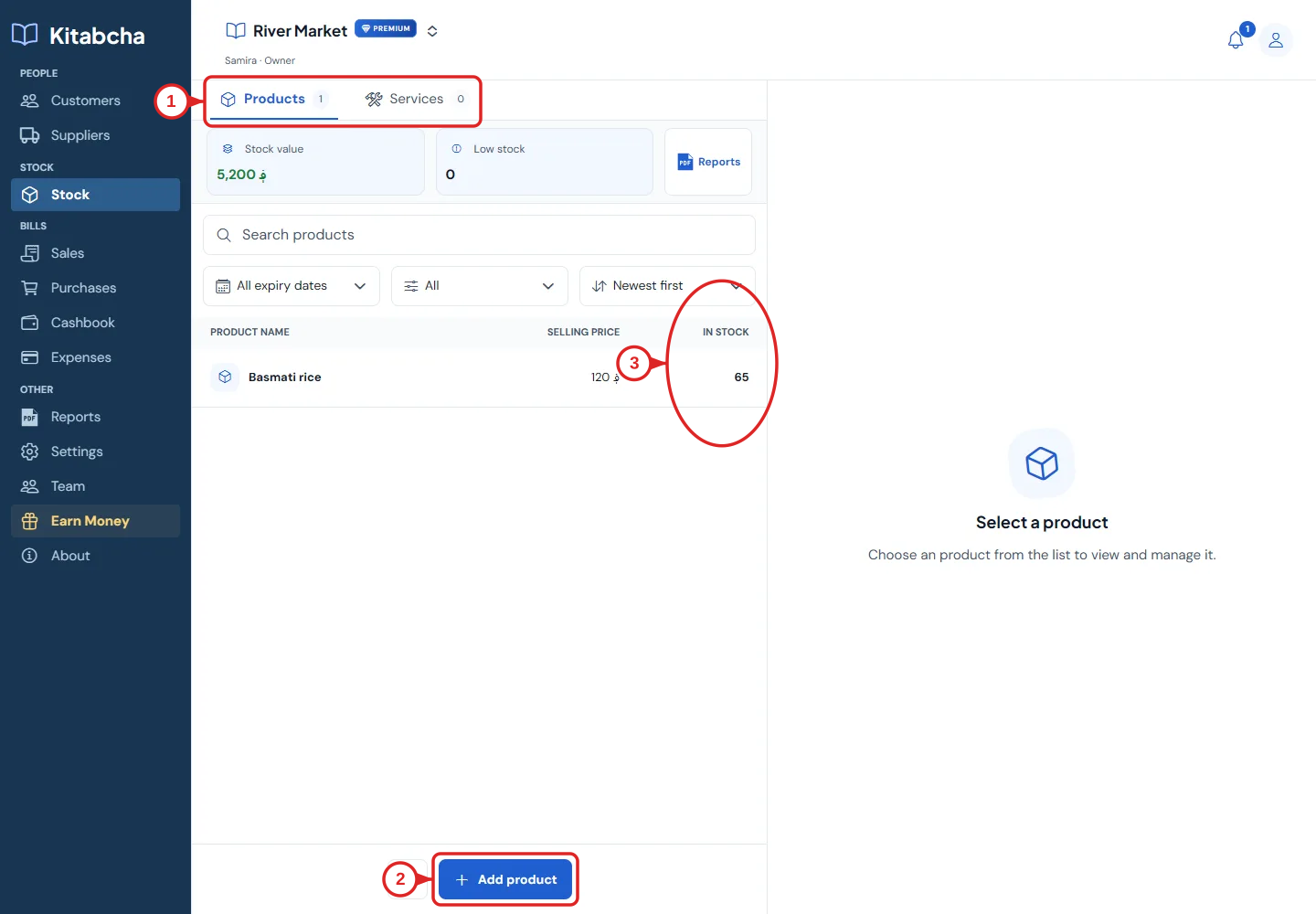
- Product and service tabs
- Add product
- Available quantity
Add a product or service
- Open Stock and choose the Products or Services tab. Select the add action for the item you need.
- Enter a clear name, unit and currency. Check selling price and purchase cost; accurate costs are needed for useful profit figures.
- For physical products, enable stock tracking when you want quantities monitored. Set the opening quantity and low-stock threshold.
- Add the barcode and other available details if you use them. Save and check the product appears in Stock.
Keep quantities accurate
- Use the same unit consistently. If stock is counted in kilograms, sale and purchase quantities must also use that unit.
- Sales of tracked stock respect the available quantity, including quantities already selected in the editor. Direct quantity input is checked too.
- Purchases add stock. Returns and corrections must refer to the original transaction and its eligible quantity.
- Use a stock adjustment for a genuine count correction and explain why. Do not invent a purchase or sale to hide a counting error.
Barcode and camera troubleshooting
- Allow camera access when scanning and use a supported browser or the installed app. Check the barcode is linked to the correct product.
- Use the product picker or search if the camera cannot open, permission is denied, or the barcode cannot be read.
- Review low-stock products regularly. An alert threshold helps you notice shortages; it does not reorder goods automatically.
Need a hand?
Tell us which step you reached and what happened. Keep sign-in codes and private business data out of public messages.
WhatsApp supportEmail support